
HR E-Signatures: Fix Onboarding to Reduce 45-Day Turnover
20% of new hires quit in 45 days due to poor onboarding. Digital e-signatures boost retention by 82% and cut HR paperwork by 75%.
Formfy Team
Product Team
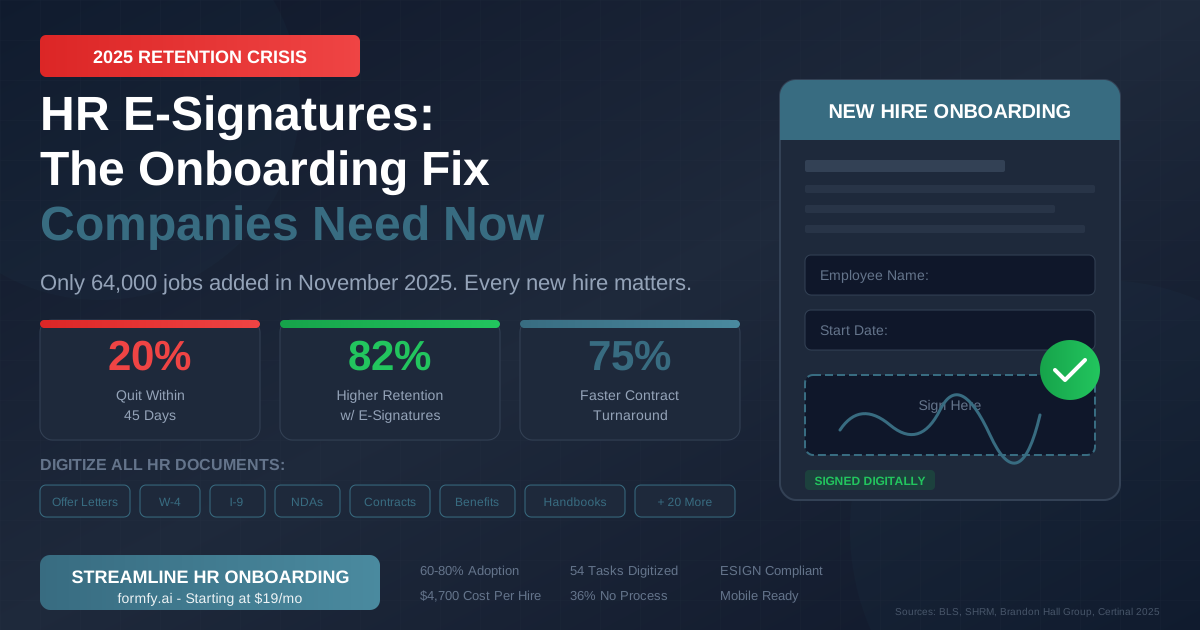
HR e-signatures and digital employee onboarding have never been more critical. The U.S. economy added just 64,000 jobs in November 2025—a stark signal that we've entered what economists are calling a "jobs recession." With unemployment climbing to 4.6% (the highest since September 2021) and only 100,000 jobs created in the past six months combined, every single new hire has become exponentially more valuable to organizations.
Yet here's the troubling reality HR departments are facing: 20% of employees quit within their first 45 days on the job, according to Glassdoor research. The culprit? Poor onboarding experiences—and at the center of that experience is a mountain of paperwork that frustrates new hires before they've even logged their first productive hour.
The solution is hiding in plain sight. Companies that implement digital onboarding with e-signatures see 82% higher retention rates, 75% faster document turnaround, and dramatically improved new hire satisfaction. In a labor market where every hire counts, electronic signature technology isn't just a convenience—it's a competitive survival tool.
This comprehensive guide explores how HR e-signatures are transforming employee onboarding, the legal framework that makes it possible, and exactly how your organization can implement digital document signing to protect your talent investment in 2025's challenging hiring environment.
The Numbers That Should Terrify Every HR Department
The December 2025 labor market data paints a sobering picture for talent acquisition professionals. According to the Bureau of Labor Statistics, the economy has essentially stalled:
| Metric | November 2025 | Context |
|---|---|---|
| Jobs Added | 64,000 | vs. 251,000/month average in 2023 |
| Unemployment Rate | 4.6% | Highest since September 2021 |
| 6-Month Job Growth | 100,000 total | "Jobs recession" territory |
| Healthcare Share | 46,000 (72%) | Dominated job creation |
"The nation has added a mere 100,000 jobs in six months," noted Robert Frick, corporate economist at Navy Federal Credit Union. "Employment has shown little net change since April, suggesting we've entered a period of low hiring and low firing."
What This Means for HR Departments
In a "low hiring, low firing" environment, the calculus around employee retention shifts dramatically. When talent is scarce and replacement costs are astronomical, losing a new hire isn't just disappointing—it's potentially catastrophic for team productivity and morale.
Consider the math:
- Average cost to hire a new employee: $4,000-$4,700 (SHRM)
- Cost to replace an employee: 21-213% of annual salary (Work Institute)
- Average onboarding cost per employee: $1,830 for SMBs, $3,000+ for enterprises
When 20% of your new hires walk out the door within 45 days, you're not just losing people—you're burning through your recruitment budget at an unsustainable rate.
The Healthcare Exception
One bright spot in the November 2025 data: healthcare added 46,000 jobs, representing over 70% of all job gains. But this sector faces its own onboarding challenges, with strict compliance requirements around credentialing, HIPAA training acknowledgments, and licensure verification—all of which can be streamlined with digital document signing.
For healthcare HR departments managing high-volume hiring, the efficiency gains from e-signatures aren't optional. They're essential to keeping pace with demand.
Why Bad Onboarding Is Costing You $10,000+ Per Employee
The connection between onboarding quality and employee retention isn't theoretical—it's backed by decades of research and billions of dollars in organizational losses.
The Retention Statistics That Matter
Research from Brandon Hall Group, SHRM, and Gallup reveals the true cost of neglecting your onboarding process:
- 82% higher retention at organizations with structured onboarding programs
- 69% of employees stay 3+ years when they have a great onboarding experience
- 44% of new hires regret accepting the job within the first week
- 70% of new hires decide whether a job is a good fit within the first month
- Only 12% of employees say their company does onboarding well
Perhaps most damning: 36% of companies have no structured onboarding process at all, and 58% of those that do focus almost exclusively on paperwork rather than culture, training, or relationship-building.
The Financial Impact
Let's calculate what poor onboarding actually costs a mid-sized company:
Scenario: 100-employee company hiring 30 new employees per year
| Factor | Calculation | Cost |
|---|---|---|
| Average salary | $55,000 | - |
| Hiring cost (20% lose in 45 days) | 6 employees x $4,700 | $28,200 |
| Replacement cost (50% of salary) | 6 employees x $27,500 | $165,000 |
| Lost productivity | 6 employees x 3 months x $2,000 | $36,000 |
| Total Annual Loss | $229,200 |
That's nearly a quarter million dollars walking out the door every year—and this estimate is conservative. PwC research suggests turnover costs can reach $10,000+ per employee when factoring in weak onboarding practices.
What New Hires Actually Want
When we dig into why employees leave so quickly, the answers are illuminating:
- Overwhelming paperwork - The average new hire is assigned 54 onboarding tasks (Sapling), many of which involve redundant form-filling
- Lack of preparation - 33% of new hires felt their company wasn't prepared for their arrival
- Technology frustration - Outdated systems, multiple logins, and manual processes signal dysfunction
- Feeling unwelcome - 70% of new hires feel more welcomed when digital processes are smooth (Deloitte)
The solution to all four problems? A modern, digital onboarding experience powered by electronic signatures.
How E-Signatures Are Revolutionizing HR Onboarding
The shift to digital document signing has accelerated dramatically, with 60-80% of organizations adopting e-signature technology by 2025 according to TextControl research. For HR departments, this technology solves the fundamental friction point in new hire onboarding: paperwork.
The Speed Advantage
According to Certinal's 2025 analysis, organizations using e-signatures for HR documents see:
- 75%+ faster contract turnaround compared to paper-based processes
- 30% reduction in paperwork completion time
- 70% reduction in compliance risks through automated tracking
- 73% reduction in errors with automated form validation (Forbes)
What does this look like in practice? An offer letter that once took 3-5 days to sign, scan, and return can now be completed in under 10 minutes from any device.
The Experience Advantage
Beyond speed, digital onboarding fundamentally changes how new hires perceive their employer:
- 70% of new hires feel more welcomed with smooth digital processes (Deloitte)
- 44% of businesses report improved employee satisfaction after implementing e-signatures
- New hires can complete paperwork before their first day, allowing Day 1 to focus on meaningful integration
The 54-Task Problem
The average new hire faces 54 onboarding tasks according to Sapling's research. Many of these involve signing documents:
Pre-Employment
- Offer letter acceptance
- Background check consent
- Drug testing authorization
- Non-disclosure agreement
First Day/Week
- W-4 tax withholding
- I-9 employment eligibility
- Direct deposit authorization
- Emergency contact form
- Employee handbook acknowledgment
First Month
- Benefits enrollment
- 401(k) participation
- Equipment agreements
- Policy acknowledgments
- Training certifications
With e-signatures, these 15+ documents can be bundled into a single digital package, completed in one sitting, and automatically filed for compliance. The technology transforms onboarding from a bureaucratic obstacle course into a streamlined, professional experience.
ROI Calculation: Time Saved
| Activity | Paper Process | E-Signature | Time Saved |
|---|---|---|---|
| Offer letter | 3-5 days | 30 minutes | 95%+ |
| W-4 completion | 1-2 days | 5 minutes | 90%+ |
| Full onboarding packet | 2 weeks | 2-4 hours | 85%+ |
| Document retrieval | 15-30 minutes | Instant | 100% |
For an HR department processing 100 new hires annually, this translates to hundreds of hours reclaimed for strategic work.
Every HR Document That Can (and Should) Be E-Signed
Understanding which documents can be legally signed electronically is the first step toward digital onboarding transformation. Here's the comprehensive list:
Pre-Employment Documents
- Offer letters - Fully signable electronically under ESIGN/UETA
- Employment contracts - Binding when e-signed with proper consent
- Non-disclosure agreements (NDAs) - Standard e-signature use case
- Non-compete agreements - Valid in states where enforceable
- Background check consent - FCRA compliant with e-signature
- Drug testing consent - Legally acceptable
Tax and Payroll Documents
- W-4 Employee's Withholding Certificate - IRS explicitly accepts e-signatures
- State tax withholding forms - Most states accept electronic signatures
- Direct deposit authorization - Standard practice
- Wage acknowledgment - Fully compliant
Compliance Documents
- I-9 Employment Eligibility Verification - Section 1 can be e-signed; Section 2 requires physical document inspection (see legal section below)
- Employee handbook acknowledgment - Best practice for documentation
- Safety training certifications - OSHA accepts electronic records
- HIPAA acknowledgment (healthcare) - Compliant with proper audit trails
Benefits Documents
- Health insurance enrollment - ACA compliant
- 401(k) participation forms - DOL/ERISA compliant
- Life insurance beneficiary designations - Industry standard
- FSA/HSA enrollment - Fully accepted
- COBRA notices (if applicable) - Electronic delivery permitted
Policy Documents
- Equipment/laptop agreements - Standard practice
- Remote work agreements - Essential for distributed teams
- Parking/access badge forms - Administrative convenience
- Travel and expense policies - Acknowledgment tracking
- Code of conduct acknowledgment - Compliance documentation
Documents That Cannot Be E-Signed
While e-signatures cover most HR needs, certain documents still require wet signatures or notarization:
- Documents requiring notarization by state law
- Some court-ordered documents
- Specific union agreements (depending on CBA)
- Documents where the signer explicitly opts out of electronic consent
The Legal Foundation: ESIGN, UETA, and IRS Compliance
HR professionals often hesitate to adopt e-signatures due to compliance concerns. Understanding the legal framework eliminates this uncertainty.
The ESIGN Act (2000)
The Electronic Signatures in Global and National Commerce Act established that electronic signatures carry the same legal weight as handwritten signatures for most purposes. Key provisions:
- Electronic signatures cannot be denied legal validity solely because they're electronic
- Electronic records satisfy any law requiring a written record
- Applies to all employment-related documents unless specifically exempted
UETA (Uniform Electronic Transactions Act)
Adopted by 49 states (New York has its own equivalent law), UETA provides state-level reinforcement of electronic signature validity. For HR purposes:
- Employment contracts signed electronically are binding
- Electronic records meet documentation requirements
- Audit trails serve as proof of signature authenticity
IRS W-4 Compliance
The IRS explicitly addresses electronic W-4 signatures in its guidance:
"Employers may establish a system for employees to electronically sign their W-4s. The system must meet the requirements of the ESIGN Act."
Requirements for W-4 e-signatures:
- Signature must be attributable to the employee
- Record must be tamper-evident
- Employee must receive a copy of the signed form
- Employer must retain signed W-4 for at least 4 years
I-9 Electronic Signature Rules
The I-9 has specific rules that HR must understand:
Section 1 (Employee Information): Can be signed electronically under ESIGN/UETA guidelines. The employee can complete this remotely before their start date.
Section 2 (Employer Verification): Requires physical inspection of identity documents. While the form can be e-signed after verification, the employer must physically examine the original documents (passport, driver's license + Social Security card, etc.).
Section 3 (Reverification): Can be e-signed when updating employment authorization.
Record Retention Requirements
| Document Type | Retention Period | Legal Authority |
|---|---|---|
| W-4 | 4 years after tax year | IRS |
| I-9 | 3 years from hire OR 1 year after termination (whichever is later) | USCIS |
| Employment contracts | 3-7 years (varies by state) | State law |
| Benefits enrollment | Plan duration + 6 years | ERISA |
| OSHA training records | Duration of employment | OSHA |
Compliance Checklist for HR Departments
- Obtain consent to conduct business electronically before collecting e-signatures
- Ensure audit trails capture timestamp, IP address, and signer identity
- Maintain tamper-evident records that cannot be altered post-signature
- Provide signers with copies of all signed documents
- Implement retention policies meeting federal and state requirements
- Train staff on I-9 Section 2 physical verification requirements
Paper Onboarding vs Digital Onboarding: The Numbers Don't Lie
The case for digital transformation becomes undeniable when examining side-by-side metrics:
| Metric | Paper Onboarding | Digital E-Signature | Improvement |
|---|---|---|---|
| Average completion time | 3-5 days | 2-4 hours | 85% faster |
| Error rate | 23% | 3% | 87% reduction |
| Cost per new hire | $3,000+ | $500-800 | 73% savings |
| Document retrieval | 15-30 minutes | Instant | 100% faster |
| Compliance risk | High | Low | 70% reduction |
| New hire satisfaction | 31% engaged | 70%+ engaged | 125% increase |
| Storage costs | $25,000+/year | $0 (cloud) | 100% savings |
| Environmental impact | 10,000+ pages/year | Zero paper | 100% reduction |
The Hidden Costs of Paper
Beyond the obvious metrics, paper-based onboarding creates hidden friction:
- IT support tickets for scanning/printing issues
- Manager time chasing down missing signatures
- Legal exposure from lost or misplaced documents
- Delayed start dates waiting for paperwork clearance
- Negative employer brand perception from frustrating processes
The Compound Effect
Organizations that switch to digital onboarding don't just see one-time improvements—the benefits compound:
Year 1: Immediate time and cost savings Year 2: Improved retention from better onboarding experience Year 3: Better employer brand attracting higher-quality candidates Year 4+: Data-driven optimization of the entire onboarding process
How to Build a Digital Onboarding Workflow with Formfy
Implementing digital HR onboarding doesn't require a massive technology overhaul. Here's a step-by-step guide to getting started:
Step 1: Audit Your Current Documents
Before digitizing, inventory every document in your current onboarding packet:
- List each form and its purpose
- Identify required signatures (employee, HR, manager)
- Note any compliance requirements
- Flag documents that cannot be e-signed
Pro tip: Start with your highest-volume documents. Offer letters and W-4s typically provide the fastest ROI.
Step 2: Create Digital Templates in Formfy
Build reusable templates for each document type:
- Upload existing PDFs or create forms from scratch
- Add signature fields, date fields, and form fields
- Configure required vs. optional fields
- Set up field validation to reduce errors
Step 3: Configure Signing Sequences
Establish the order in which documents should be signed:
- Employee signs first - Completes personal information and signatures
- HR reviews and countersigns - Verifies information and approves
- Manager signs (if required) - Final authorization
Formfy automatically routes documents through this sequence, eliminating manual handoffs.
Step 4: Set Up Automatic Reminders
Configure reminder emails to ensure documents don't stall:
- 24 hours: Gentle reminder with direct signing link
- 48 hours: Follow-up with deadline mention
- 72 hours: Escalation to HR for intervention
This automation eliminates the "chasing signatures" problem that plagues paper processes.
Step 5: Integrate with Your HRIS
Connect Formfy to your HR information system:
- Webhooks push signed documents to your document management system
- API integration pre-populates employee data from your HRIS
- Automatic filing ensures compliance with retention policies
Popular integrations include Workday, BambooHR, ADP, and Gusto.
Step 6: Pilot with a Small Group
Before full rollout:
- Select 5-10 new hires for the pilot program
- Gather feedback on the signing experience
- Identify any technical issues or confusion
- Refine templates and workflows based on learnings
Step 7: Launch Company-Wide
With pilot feedback incorporated:
- Train HR team on new workflows
- Update job offer communications to reference digital signing
- Monitor completion rates and time-to-complete metrics
- Celebrate the first month of paper-free onboarding
Step 8: Optimize Continuously
Use Formfy's analytics to identify improvement opportunities:
- Which documents have the longest completion times?
- Where do new hires abandon the signing process?
- What questions does HR receive most frequently?
Case Study: How MedStaff Solutions Cut Onboarding Time by 80%
Note: This case study represents a composite of typical customer outcomes.
The Challenge
MedStaff Solutions, a regional healthcare staffing network, faced a perfect storm of onboarding challenges:
- 500+ new hires annually across 12 locations
- 3-week average to complete all onboarding paperwork
- 25% first-year turnover with exit interviews citing "administrative chaos"
- 18% document error rate requiring rework and re-signing
- 2 full-time HR staff dedicated solely to onboarding paperwork
With healthcare representing 72% of November 2025's job gains, MedStaff needed a scalable solution fast.
The Solution
MedStaff implemented Formfy for digital employee onboarding:
- Digitized 23 onboarding documents including offer letters, W-4s, I-9 Section 1, credentialing forms, and HIPAA acknowledgments
- Created role-specific bundles for nurses, administrative staff, and technicians
- Integrated with their scheduling system to trigger onboarding packets upon offer acceptance
- Implemented automatic reminders reducing signature chase time to zero
The Results
After 6 months of digital onboarding:
| Metric | Before | After | Improvement |
|---|---|---|---|
| Onboarding time | 15 days | 3 days | 80% reduction |
| Document errors | 18% | 2% | 89% reduction |
| First-year retention | 75% | 91% | 21% improvement |
| HR hours on paperwork | 2,400/year | 400/year | 83% reduction |
| Cost per onboarding | $2,800 | $450 | 84% reduction |
Total annual savings: $180,000+
HR Director Quote
"We went from dreading new hire orientation to actually enjoying it. Now Day 1 is about welcoming people to the team, not hunting for signatures. The retention improvement alone justified the investment ten times over."
— Director of Human Resources, MedStaff Solutions
7 E-Signature Compliance Mistakes That Can Cost You Thousands
Even with the right technology, implementation errors can create legal exposure. Avoid these common pitfalls:
Mistake #1: Not Obtaining Electronic Consent
The problem: ESIGN requires that signers consent to conduct business electronically before e-signing documents.
The fix: Include a clear consent statement at the beginning of your onboarding workflow: "By proceeding, you agree to receive and sign documents electronically."
Formfy feature: Built-in consent capture with timestamp documentation.
Mistake #2: Skipping I-9 Section 2 Physical Verification
The problem: Some employers assume the entire I-9 can be completed remotely. Section 2 requires physical document inspection.
The fix: Establish a process for in-person document verification on the employee's first day (or use an authorized representative for remote workers).
Formfy feature: Workflow pauses at Section 2 with reminder for physical verification.
Mistake #3: Inadequate Audit Trail Documentation
The problem: If an e-signature is ever disputed, you need proof of who signed, when, and from where.
The fix: Use a platform that captures IP address, timestamp, email verification, and device information for every signature.
Formfy feature: Comprehensive audit certificates attached to every signed document.
Mistake #4: Improper Record Retention
The problem: Different documents have different retention requirements. Missing a deadline can result in fines.
The fix: Implement automated retention policies with alerts before deletion.
Formfy feature: Configurable retention periods with automated compliance tracking.
Mistake #5: Failing to Update State-Specific Forms
The problem: State tax withholding forms change frequently. Using outdated versions can create tax issues.
The fix: Review and update templates annually, or use a platform with built-in form updates.
Formfy feature: Template versioning with update notifications.
Mistake #6: Inadequate Data Security
The problem: Onboarding documents contain sensitive data: Social Security numbers, bank account information, addresses.
The fix: Ensure your e-signature platform offers encryption, access controls, and a documented security posture.
Formfy feature: Encryption, audit trail, and access controls. Formfy does not claim SOC 2 or HIPAA certification; teams with covered-entity or regulated workflows should verify their own compliance obligations.
Mistake #7: Using Non-Compliant Platforms
The problem: Not all "e-signature" tools meet ESIGN/UETA requirements. Some lack proper audit trails or tamper-evidence.
The fix: Verify your platform is specifically designed for legally binding signatures with full compliance documentation.
Formfy feature: Purpose-built for legal compliance with ESIGN, UETA, and industry-specific regulations.
What's Next: AI, Automation, and the Future of HR Onboarding
The digital onboarding transformation is just beginning. Here's where the technology is heading:
Market Growth
The global onboarding software market is experiencing explosive growth:
- 2024 market size: $1.77 billion
- 2025 projected: $2.12 billion
- CAGR: 20% through 2030
This growth is driven by remote work normalization, compliance complexity, and the retention crisis highlighted by 2025's labor data.
AI-Powered Onboarding
87% of HR leaders are committed to AI and automation adoption. For onboarding, this means:
- Intelligent document routing - AI determines which documents each role requires
- Automated compliance checking - Real-time validation of form completeness
- Predictive analytics - Identifying new hires at risk of early departure
- Personalized experiences - Customized onboarding paths based on role and learning style
Embedded Signing Experiences
The future isn't standalone e-signature tools—it's embedded signing within existing HR workflows. New hires will complete signatures directly within:
- Job portals
- HRIS platforms
- Mobile apps
- Virtual onboarding sessions
Remote-First Normalization
With remote and hybrid work now standard, digital onboarding isn't a "nice to have"—it's table stakes. Organizations that can't onboard employees without physical presence will struggle to compete for talent.
Predictions for 2026
- 50%+ of Fortune 500 will have fully digital onboarding
- Video-verified signatures will become standard for high-security documents
- Blockchain audit trails will emerge for maximum tamper-evidence
- Integration-first platforms will dominate over standalone tools
Frequently Asked Questions About HR E-Signatures
Can I legally e-sign a W-4 form?
Yes. The IRS explicitly accepts electronic signatures on W-4 forms under the ESIGN Act of 2000, provided the signature is attributable to the signer and the record is tamper-evident. Employers must retain signed W-4s for at least 4 years after the tax year.
Is electronic signature valid for I-9 forms?
I-9 Section 1 can be signed electronically under ESIGN and UETA guidelines. However, I-9 Section 2 requires physical inspection of identity documents (passport, driver's license, etc.) by the employer. The form itself can be e-signed after verification.
How long must I retain electronically signed HR documents?
Retention periods vary by document: W-4 forms must be kept 4 years after tax year; I-9 forms for 3 years after hire date or 1 year after termination (whichever is later); employment contracts for 3-7 years depending on state; and benefits enrollment documents for plan duration plus 6 years.
Do employees need special software to sign documents electronically?
No. Modern e-signature platforms like Formfy allow employees to sign documents from any device (computer, tablet, phone) using just a web browser. No downloads, accounts, or special software required. Signers receive an email link and can complete signing in minutes.
Can e-signatures be used for remote employees?
Absolutely. E-signatures are ideal for remote onboarding, allowing new hires to complete all paperwork from anywhere. The only exception is I-9 Section 2, which requires physical document inspection (though this can be done by an authorized representative in the employee's location).
What makes an e-signature legally binding for HR documents?
Under the ESIGN Act and UETA, an e-signature is legally binding when it demonstrates: (1) intent to sign, (2) consent to conduct business electronically, (3) clear association between signature and document, and (4) proper record retention. A compliant platform provides audit trails documenting all these elements.
How do I prove an employee signed a document electronically?
E-signature platforms generate comprehensive audit trails that include: timestamp of signature, IP address, device information, email verification, and a tamper-evident seal. These audit certificates are legally admissible and often more robust than proving a wet signature's authenticity.
Can terminated employees' documents be stored electronically?
Yes. Electronic storage of employee records is permitted under ESIGN, UETA, and DOL regulations. In fact, electronic storage is often preferred for its searchability and reduced physical storage costs. Ensure retention policies are followed even after termination.
What's the difference between e-signature and digital signature?
"E-signature" is the broad category covering any electronic indication of agreement (typed name, drawn signature, click-to-sign). "Digital signature" specifically refers to cryptographically secured signatures using PKI (public key infrastructure). For most HR purposes, standard e-signatures are sufficient and legally compliant.
Are e-signatures compliant with HIPAA for healthcare hiring?
E-signatures are legally valid under ESIGN/UETA. For platforms handling PHI, HIPAA requires a signed Business Associate Agreement. Formfy implements encryption, audit trail, and access controls; Formfy does not claim HIPAA certification. Teams with covered-entity workflows should review their compliance obligations.
How do I handle employees who refuse to sign electronically?
ESIGN protects consumers' right to opt out of electronic transactions. If an employee refuses e-signatures, you must provide paper alternatives. However, this is rare—most employees prefer the convenience of digital signing.
Can international employees use e-signatures?
Yes, though international compliance varies. The US recognizes e-signatures under ESIGN. The EU uses eIDAS regulations. Most developed nations have equivalent laws. For international hires, verify the specific country's e-signature laws apply.
What happens if an e-signature is disputed?
E-signature disputes are rare, but when they occur, the audit trail is critical. Platforms like Formfy capture IP address, timestamp, email verification, and device fingerprint—providing stronger evidence than traditional wet signatures, which can be forged without any electronic trail.
How much can e-signatures save my HR department?
Studies show e-signatures reduce onboarding paperwork costs by 73%, with average savings of $2,200+ per new hire. HR departments report 75% faster document turnaround, 87% reduction in errors, and 60% reduction in administrative time spent on document management.
How quickly can we implement digital onboarding?
Most organizations can launch digital onboarding within 1-2 weeks. The process involves: auditing current documents (Day 1-2), creating templates (Day 3-5), configuring workflows (Day 6-7), pilot testing (Day 8-10), and full launch. Formfy offers implementation support to accelerate this timeline.
Transform Your Onboarding Before It's Too Late
The 2025 labor market has delivered a clear message: every new hire is precious. With only 64,000 jobs added in November, 4.6% unemployment, and economists declaring a "jobs recession," companies cannot afford the 20% new hire attrition rate that plagues traditional paper-based onboarding.
The solution is proven and accessible. Organizations implementing digital onboarding with e-signatures achieve:
- 82% higher retention through structured, professional experiences
- 75% faster document turnaround eliminating bureaucratic delays
- 73% cost reduction in onboarding administration
- 70% of new hires feeling more welcomed from Day 1
The technology is legally sound (ESIGN, UETA, IRS-approved), the implementation is straightforward, and the ROI is undeniable.
Don't let poor onboarding cost you your next great hire.
Start your free trial with Formfy and transform your HR document workflow today. Plans start at just $19/month—less than the cost of a single paper-based onboarding packet.
Key HR Onboarding Statistics 2025
For quick reference, here are the critical statistics covered in this guide:
- 20% of employees quit within 45 days
- 82% higher retention with structured onboarding
- 75%+ faster contract turnaround with e-signatures
- $4,700 average cost per hire
- 64,000 jobs added in November 2025
- 4.6% unemployment rate (highest since 2021)
- 36% of companies lack structured onboarding
- 60-80% e-signature adoption rate by 2025
- 54 average onboarding tasks per new hire
- 73% reduction in errors with digital processes
Sources: Bureau of Labor Statistics, SHRM, Brandon Hall Group, Certinal 2025, Glassdoor, Deloitte, Forbes, Navy Federal Credit Union
Disclaimer: This article provides general information about electronic signatures and HR compliance. It does not constitute legal advice. Employment laws and e-signature regulations vary by state and jurisdiction. Consult with a qualified attorney or HR professional for guidance specific to your organization's needs. Formfy is not a law firm and does not provide legal advice.
Last updated: December 2025
Related Articles
Formfy Team
Product Team
Related Articles

Recent compliance and digital workflow updates for 2026-06-13
A source-backed roundup of recent compliance, security, and digital workflow updates for teams managing forms and records.
Recent compliance and digital workflow updates for 2026-05-13
A source-backed roundup of recent compliance, security, and digital workflow updates for teams managing forms and records.
Recent compliance and digital workflow updates for 2026-04-13
A source-backed roundup of recent compliance, security, and digital workflow updates for teams managing forms and records.