
Digital Waivers & E-Signatures Guide for Small Business
Digital waivers save time, reduce costs, and protect your business. Step-by-step guide for fitness, events, and healthcare.
Formfy Team
Product Team
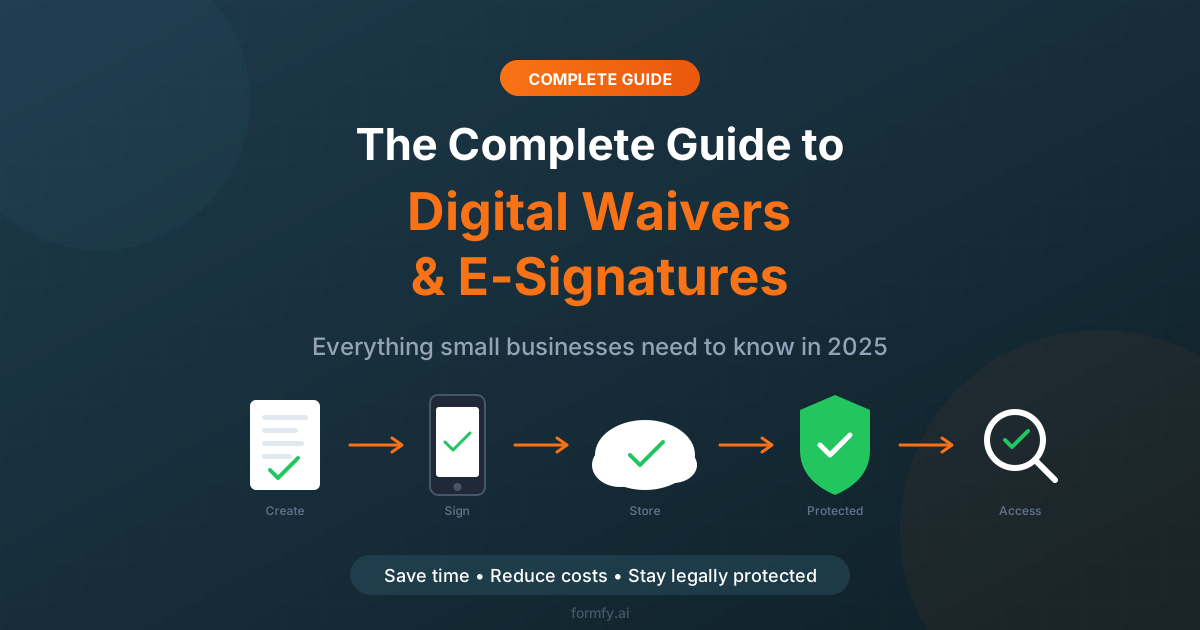
Still printing waivers and chasing paper signatures? You're wasting 5+ hours per week — and putting your business at risk.
The shift to digital is accelerating. According to industry research, 89% of businesses now use electronic signatures, and that number continues to grow as companies realize the time savings, cost reduction, and legal protection that digital waivers provide.
This comprehensive guide covers everything you need to know about digital waivers and e-signatures: what they are, why they matter, how to implement them, and how to choose the right platform for your business.
Who this guide is for:
- Fitness studio and gym owners
- Event planners and coordinators
- Healthcare and wellness practitioners
- Adventure and recreation businesses
- Contractors and service providers
- Anyone who collects signatures from customers
What Are Digital Waivers?
A digital waiver (also called an electronic waiver or online waiver) is a legally binding document that customers sign electronically instead of on paper. It serves the same purpose as a traditional paper waiver — protecting your business from liability — but with significant advantages in efficiency, storage, and accessibility.
Types of Digital Waivers
Liability Waivers: Protect your business when customers participate in activities with inherent risk. Used by fitness studios, adventure companies, and recreational facilities.
Consent Forms: Obtain permission for services, treatments, or activities. Common in healthcare, photography, and education.
Release Forms: Grant permission for specific uses, like photo/video releases for marketing purposes.
Indemnity Agreements: Shift responsibility for potential damages or losses. Used in rental agreements and contractor relationships.
How Digital Waivers Differ from Paper
| Aspect | Paper Waivers | Digital Waivers |
|---|---|---|
| Signing | In-person with pen | Anywhere, any device |
| Storage | Filing cabinets | Cloud-based, searchable |
| Retrieval | Manual search | Instant search |
| Risk of loss | High (fire, water, misplacement) | Low (automatic backups) |
| Audit trail | Limited (just the signature) | Complete (timestamp, IP, device) |
| Cost | Ongoing (paper, ink, storage) | Fixed monthly subscription |
What Are E-Signatures?
An electronic signature (e-signature) is a digital indication of a person's intent to agree to a document or contract. It can take several forms:
- Typed signatures: Customer types their name
- Drawn signatures: Customer draws their signature with finger or stylus
- Click-to-sign: Customer clicks a button or checkbox to indicate agreement
All three forms are legally valid when implemented correctly.
The Legal Framework
E-signatures became legally binding in the United States with the passage of two key laws:
ESIGN Act (2000): The Electronic Signatures in Global and National Commerce Act established that electronic signatures have the same legal validity as handwritten signatures for most purposes.
UETA (1999): The Uniform Electronic Transactions Act, adopted by 47 states, provides the legal framework for electronic transactions at the state level.
Key takeaway: A properly implemented e-signature is just as legally binding as a pen-and-paper signature.
What Makes an E-Signature Legally Binding?
For an electronic signature to hold up legally, it must include:
- Intent to sign: The signer must clearly intend to sign the document
- Consent to do business electronically: The signer must agree to use electronic methods
- Association of signature with record: The signature must be connected to the specific document
- Record retention: The signed document must be stored and accessible
Modern digital waiver platforms like Formfy handle all of these requirements automatically.
Paper vs. Digital: The Workflow Comparison
Here's how the old way compares to the modern approach:
The Benefits of Going Digital
1. Massive Time Savings
The average business saves 5-10 hours per week by switching to digital waivers. That's time you can reinvest in serving customers, growing your business, or simply going home earlier.
Where the time goes:
- No printing or copying
- No scanning completed forms
- No manual filing
- No searching through filing cabinets
- No follow-up on incomplete waivers (automation handles it)
2. Significant Cost Reduction
Paper processes have hidden costs that add up quickly:
| Cost Category | Monthly Expense |
|---|---|
| Paper and printing | $30-50 |
| Ink/toner | $20-40 |
| Filing supplies | $10-20 |
| Storage space | $25-50 |
| Staff time (at $20/hr) | $200-400 |
| Total | $285-560/month |
A digital platform like Formfy costs $19-99/month depending on your needs. Net savings: $200-500+ per month.
3. Better Customer Experience
Modern customers expect digital convenience:
- Sign from anywhere: Home, office, or on the go
- Any device: Phone, tablet, or computer
- No waiting: Complete before arriving, not in your lobby
- Quick process: 30 seconds instead of 10 minutes
4. Superior Legal Protection
Digital waivers actually provide better legal protection than paper:
- Complete audit trails: Every signature includes timestamp, IP address, and device information
- Cannot be altered: Digital records can't be changed after signing
- Cannot be lost: Cloud storage with automatic backups
- Easy retrieval: Find any waiver instantly when needed
5. Environmental Impact
Going paperless reduces your environmental footprint:
- Eliminate paper waste
- Reduce ink and toner usage
- No transportation for physical document storage
- Appeal to eco-conscious customers
Industries That Benefit Most
Fitness Studios & Gyms
Common forms needed:
- Membership agreements
- Liability waivers for classes
- Personal training contracts
- Equipment usage waivers
- Class registration forms
- Health questionnaires
Why digital works: Members can sign waivers before their first visit, reducing lobby congestion and improving the onboarding experience.
Events & Entertainment
Common forms needed:
- Participant waivers
- Vendor agreements
- Photo/video release forms
- Volunteer agreements
- Competition entry forms
- Age verification
Why digital works: Collect hundreds or thousands of waivers efficiently without printing costs or storage headaches.
Healthcare & Wellness
Common forms needed:
- Patient intake forms
- HIPAA consent
- Treatment consent
- Telehealth agreements
- Medical history forms
- Insurance information
Why digital works: Patients complete paperwork before appointments, reducing wait times and ensuring accurate information.
Adventure & Recreation
Common forms needed:
- Activity-specific liability waivers
- Equipment rental agreements
- Minor participation consent (parent/guardian)
- Emergency contact forms
- Medical disclosure forms
Why digital works: High-risk activities require ironclad waivers. Digital provides better audit trails and legal protection.
Professional Services
Common forms needed:
- Client contracts
- NDAs (Non-Disclosure Agreements)
- Service agreements
- Consulting proposals
- Scope of work documents
Why digital works: Professional appearance, faster turnaround, and no mailing delays.
Essential Features Checklist
When evaluating digital waiver platforms, look for these must-have features:
Red Flags to Avoid
When shopping for a platform, watch out for:
- Per-signature pricing: Costs add up fast as you grow
- No audit trail: Your waivers may not hold up legally
- No mobile support: You'll frustrate customers
- Limited storage: May lose access to old documents
- No encryption: Security risk for customer data
- No customer support: You'll be stuck when issues arise
How to Choose the Right Platform
Questions to Ask
Before committing to a platform, get answers to these questions:
- Is it legally compliant? Confirm ESIGN and UETA compliance.
- Does it include audit trails? Essential for legal protection.
- Can customers sign on mobile? Over 70% of signatures happen on phones.
- How is data stored and secured? Look for encryption and backups.
- What's the pricing model? Avoid per-signature fees.
- Can I customize branding? Professional appearance matters.
- Is there appointment scheduling? Useful if you book sessions.
- What integrations are available? Connect to your existing tools.
- What support is available? Email, chat, phone?
Why Formfy?
Formfy stands out as an all-in-one solution:
- Forms + E-signatures + Scheduling in one platform
- AI-powered form creation — describe what you need
- Unlimited signatures on all plans
- SMS delivery for instant mobile access
- Full audit trails for legal protection
- Starting at $19/month — less than most single-purpose tools
Step-by-Step: Setting Up Your First Digital Waiver
Step 1: Choose Your Platform
Consider your needs beyond just waivers. If you also need registration forms, appointment scheduling, or payment collection, choose an all-in-one platform to avoid juggling multiple subscriptions.
Step 2: Create Your Waiver
You have several options:
Start from a template: Most platforms offer industry-specific waiver templates as starting points.
Use AI generation: Platforms like Formfy let you describe what you need in plain English, and AI creates the form.
Build from scratch: Use a drag-and-drop builder to create custom waivers.
Upload existing PDF: If you already have a waiver, upload it and add signature fields.
Step 3: Add Required Fields
Every waiver should include:
- Participant name (and parent/guardian if minor)
- Date
- Signature field
- Initial fields for key clauses (optional but recommended)
- Emergency contact (if applicable)
- Email or phone for record delivery
Step 4: Customize Branding
Add your professional touch:
- Upload your logo
- Match your brand colors
- Add a custom thank-you message
- Include your contact information
Step 5: Set Up Delivery Methods
Choose how customers will receive your waiver:
- Shareable link: Post on your website or share directly
- QR code: Display in your facility for easy scanning
- Email: Send automated invitations
- SMS: Text a link directly to their phone (highest completion rates)
- Embed: Add the form directly to your website
Step 6: Test Thoroughly
Before going live:
- Complete the waiver yourself
- Test on different devices (phone, tablet, computer)
- Verify email notifications work
- Check the signed document looks correct
- Have a colleague test the full flow
Step 7: Launch and Monitor
- Share with customers
- Track completion rates
- Follow up on incomplete submissions
- Collect feedback and iterate
Best Practices for Digital Waivers
Content Best Practices
- Use clear, simple language: Avoid legal jargon where possible
- Break into sections: Use headings to organize content
- Highlight important terms: Make key clauses stand out
- Be specific: Reference your actual business and activities
- Include all necessary disclaimers: Cover your legal bases
Delivery Best Practices
- Send early: 24-48 hours before the appointment, not day-of
- Use SMS: Text messages have 98% open rates vs. 20% for email
- Send reminders: Automated follow-ups for incomplete waivers
- Offer multiple options: Some customers prefer email, others SMS
Legal Best Practices
- Include e-signature consent: Explicit agreement to sign electronically
- Maintain audit trails: Never disable this feature
- Store records properly: Keep waivers for your required retention period
- Back up regularly: Use a platform with automatic cloud backup
- Get legal review: Have an attorney review your waiver language
Common Mistakes to Avoid
1. Using generic templates without customization
Your waiver should be specific to YOUR business and activities. Generic waivers may not protect you.
2. Ignoring mobile optimization
Over 70% of waivers are signed on mobile devices. If your waiver doesn't work well on phones, you'll have frustrated customers and low completion rates.
3. Skipping the audit trail
Without a complete audit trail (timestamp, IP address, signature data), your waiver may not hold up if challenged.
4. Not getting legal review
An attorney familiar with your industry can identify gaps in your waiver language. This investment protects you long-term.
5. Poor timing
Sending waivers at the last minute reduces completion rates. Send 24-48 hours in advance when possible.
6. No follow-up system
Unsigned waivers = unprotected business. Set up automatic reminders for incomplete submissions.
The ROI of Digital Waivers
Let's calculate the real return on investment:
Time Savings
| Task | Paper Process | Digital Process |
|---|---|---|
| Per customer processing | 10-15 minutes | 30 seconds |
| Monthly time (100 customers) | 16-25 hours | 50 minutes |
| Time saved | 15-24 hours/month |
Cost Savings
| Category | Monthly Cost (Paper) | Monthly Cost (Digital) |
|---|---|---|
| Supplies (paper, ink) | $50 | $0 |
| Storage/filing | $25 | $0 |
| Staff time (at $20/hr) | $300-500 | $15 |
| Platform subscription | $0 | $19-49 |
| Total | $375-575 | $34-64 |
Net Savings
Monthly savings: $310-540 Annual savings: $3,720-6,480
Plus intangible benefits: better customer experience, reduced risk, environmental impact, and peace of mind.
Getting Started with Formfy
Ready to make the switch? Formfy offers everything you need:
- All-in-one platform: Waivers, forms, and scheduling together
- AI-powered creation: Describe what you need, get a waiver
- Unlimited e-signatures: No per-document fees
- SMS delivery: Send waivers directly to phones
- Full audit trails: Legal protection built-in
- Mobile-optimized: Works perfectly on any device
- Affordable pricing: Starting at $19/month
Conclusion
Digital waivers and e-signatures aren't just a convenience — they're a competitive advantage. Businesses that go paperless save time, reduce costs, improve customer experience, and gain better legal protection.
The question isn't whether to make the switch, but when. Every day you continue with paper processes is time and money lost.
Key takeaways:
- Digital waivers are legally binding under ESIGN and UETA
- You'll save 15+ hours and $300+ per month
- Customers prefer the convenience of signing on their phones
- Audit trails provide better legal protection than paper
- All-in-one platforms like Formfy offer the best value
Ready to transform your waiver process? Start your free trial with Formfy and see the difference digital makes.
Related Articles
Formfy Team
Product Team
The Formfy team helps businesses streamline document workflows with forms, e-signatures, and scheduling in one platform.
Related Articles

Music Teacher Service Forms: Lesson Agreement, Recital Authorization, and Minor Consent
Music teacher service forms cover tuition, instrument rental, recital release, and minor pickup consent. Learn what private studios should capture digitally.
Employee Leave Request Forms: FMLA, PTO, and State-Mandated Leave Workflows
Employee leave request forms cover PTO, FMLA, state paid family leave, ADA accommodation, intermittent leave, and HIPAA-compliant medical certification handling.
Employee Liability Waivers: Wellness Programs, Off-Duty Activities, and Equipment Acknowledgment
Employee liability waivers cover wellness programs, company outings, BYOD equipment, vehicle use, and the workers' comp vs personal-activity distinction.