
Are Electronic Signatures Legally Binding? 2025 Guide
What makes e-signatures legally valid under ESIGN Act and UETA. Compliance requirements, audit trails, and court defensibility.
Formfy Team
Product Team
You just collected 50 signatures on your liability waivers using an online form. But would those signatures hold up if someone challenged them in court?
It's the question every business owner asks when they switch from paper to digital: Are these electronic signatures actually valid? What if someone claims they didn't sign? Am I protected legally?
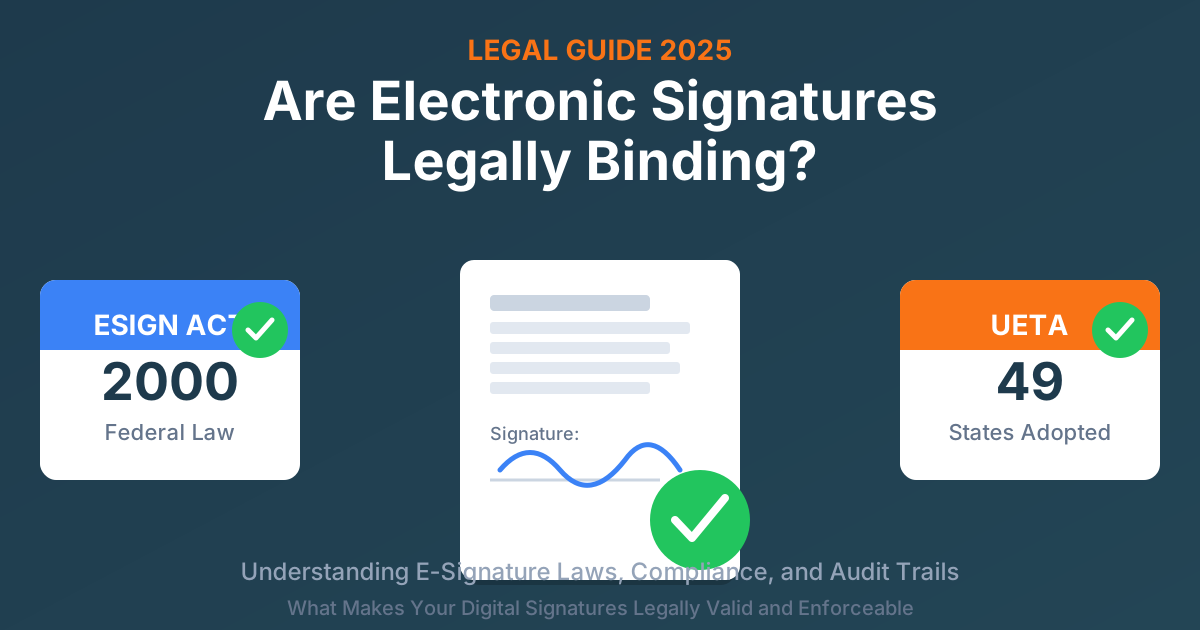
The short answer: Yes, electronic signatures are legally binding in the United States. Under the federal ESIGN Act (2000) and UETA (adopted by 49 states), electronic signatures have the same legal status as handwritten signatures. However, certain requirements must be met for an e-signature to be valid and enforceable.
This comprehensive guide covers everything you need to know about e-signature legality in 2025:
- The laws that govern electronic signatures
- Requirements for legal validity
- Documents that can and cannot be signed electronically
- How to ensure your e-signatures are enforceable
- Audit trails and compliance features
Disclaimer: This guide provides general educational information about e-signature laws and is not legal advice. For specific legal questions about your documents or jurisdiction, consult with a qualified attorney.
What Is an Electronic Signature?
Before diving into legality, let's establish what exactly qualifies as an electronic signature.
Legal Definition (ESIGN Act): An electronic signature is "an electronic sound, symbol, or process attached to or logically associated with a contract or other record and executed or adopted by a person with the intent to sign the record."
In plain English, an electronic signature can be:
- Typing your name in a signature field
- Drawing your signature with a mouse or finger
- Clicking an "I Agree" or "Submit" button
- Using a stylus to sign on a tablet or phone
- Selecting a checkbox to indicate agreement
The key element is intent. The signer must intend for their action to serve as their signature on the document.
Electronic Signature vs. Digital Signature
These terms are often confused, but they're not the same:
| Type | What It Is | Security Level | Common Use |
|---|---|---|---|
| Electronic Signature | Any electronic indication of intent to sign | Basic to advanced | Contracts, waivers, consent forms |
| Digital Signature | Encrypted signature using PKI certificates | Highest | Government documents, high-security transactions |
For most business purposes—waivers, contracts, consent forms, intake documents—standard electronic signatures are sufficient and legally binding. Digital signatures with encryption are typically only required for specialized government or financial applications.
The Laws That Make E-Signatures Legal
Two primary laws establish the legal validity of electronic signatures in the United States.
The ESIGN Act (2000)
The Electronic Signatures in Global and National Commerce Act is a federal law passed by Congress in 2000. Key provisions include:
- Gives electronic signatures the same legal status as handwritten signatures
- Applies to interstate and foreign commerce
- Prevents contracts from being denied legal effect solely because they're electronic
- Establishes requirements for consumer consent to electronic records
The most important provision states:
"A signature, contract, or other record relating to such transaction may not be denied legal effect, validity, or enforceability solely because it is in electronic form."
This means courts cannot reject a document simply because it was signed electronically rather than with pen and paper.
UETA (Uniform Electronic Transactions Act)
UETA is a model state law that has been adopted by 49 states (all except New York, which has similar legislation called ESRA—the Electronic Signatures and Records Act).
UETA provides:
- Consistent framework for electronic transactions across states
- Legal recognition of electronic records and signatures
- Guidelines for attribution of electronic signatures
- Rules for record retention
Together, ESIGN and UETA create a comprehensive legal framework that makes electronic signatures valid and enforceable throughout the United States.
International Recognition
Electronic signatures are also recognized internationally:
- European Union: eIDAS Regulation (2014)
- United Kingdom: Electronic Communications Act 2000
- Canada: PIPEDA and provincial electronic commerce acts
- Australia: Electronic Transactions Act 1999
Most developed countries have similar legislation recognizing the validity of electronic signatures for business transactions.
Requirements for a Legally Valid Electronic Signature

Not every electronic mark qualifies as a legally valid signature. Four essential elements must be present:
1. Intent to Sign
The signer must clearly intend to sign the document. This means:
- The act of signing must be deliberate, not accidental
- The signer understands they are executing a legal document
- The signature process clearly indicates where and how to sign
How this is accomplished:
- Clear "Sign Here" buttons or signature fields
- Explicit instructions to complete the signature
- Confirmation steps before final submission
2. Consent to Do Business Electronically
Under the ESIGN Act, signers must agree to conduct the transaction electronically. This consent can be:
- Explicit: Checking a box that says "I agree to sign electronically"
- Implied: Proceeding with an electronic signing process after being informed
Importantly, consumers must be informed that they can request paper records and withdraw their consent at any time.
How Formfy handles this: Every form includes ESIGN-compliant consent language: "By clicking 'Submit Form', you agree to use electronic signatures instead of handwritten signatures for this document, consent to receive and store records electronically, and understand you may request a paper copy or withdraw your consent at any time by contacting us at contact@formfy.ai."
3. Association of Signature with Document
The electronic signature must be clearly connected to the specific document being signed. This prevents signatures from being copied or moved to different documents.
This is accomplished through:
- Embedded signatures within the document
- Document hashing (creating a unique fingerprint)
- Comprehensive audit trails linking signature to document
4. Record Retention
Signed documents must be stored in a way that:
- Keeps them accessible for future reference
- Maintains the integrity of the document
- Allows reproduction when needed
Retention periods vary by document type and industry, but the record must remain intact and accessible for the legally required period.
What an E-Signature Audit Trail Must Include
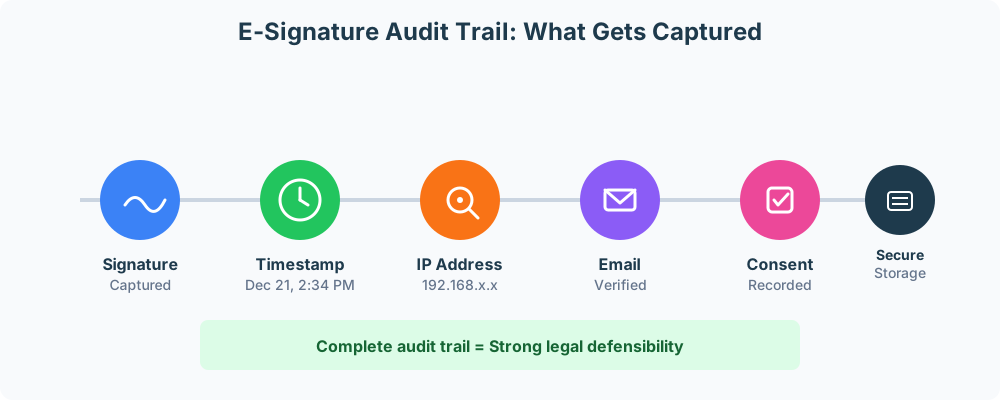
An audit trail is your best defense if an electronic signature is ever challenged. A comprehensive audit trail documents exactly what happened, when, and by whom.
Essential Audit Trail Elements
| Element | What It Captures | Why It Matters |
|---|---|---|
| Timestamp | Exact date and time of signature | Proves when the signature occurred |
| IP Address | Network location of the signer | Links signature to a specific device/location |
| Email Address | Signer's verified email | Identifies who signed the document |
| Document Hash | Unique fingerprint of the document | Proves document wasn't altered after signing |
| Consent Record | Acknowledgment of electronic signing | Shows signer agreed to e-signature process |
| Browser/Device Info | Technical details of signing session | Provides additional verification |
How Audit Trails Protect You
If someone claims "I never signed that":
- You have their IP address, timestamp, and email showing exactly when and where they signed
If someone claims "The document was changed after I signed":
- The document hash proves the content is identical to what was signed
If someone claims "I didn't consent to electronic signing":
- The consent record shows they explicitly agreed before signing
A proper audit trail makes e-signatures significantly MORE defensible than traditional wet signatures, which have no verification trail at all.
Documents That Cannot Be Signed Electronically
While most documents can be legally signed electronically, some exceptions exist under federal and state law.
Federal Exceptions (ESIGN Act)
The following documents are explicitly excluded from electronic signature validity:
- Wills, codicils, and testamentary trusts
- Adoption and divorce papers
- Court orders and official court notices
- Utility service cancellation notices
- Health insurance termination notices
- Product recall notices affecting health or safety
- Documents related to handling hazardous materials
Documents Often Requiring Notarization
Some documents may require notarization depending on your state:
- Real estate deeds (varies by state)
- Powers of attorney (some states)
- Certain affidavits and sworn statements
- Some vehicle title transfers
Important: Remote online notarization (RON) is now legal in most states, allowing even notarized documents to be completed electronically in many cases.
When in Doubt
If you're unsure whether a specific document type can be signed electronically, consult with an attorney familiar with your jurisdiction and the document's purpose.
Documents Perfect for Electronic Signatures
The vast majority of business documents can be legally signed electronically. Here are common categories:
Business Contracts and Agreements
- Service agreements and contracts
- Non-disclosure agreements (NDAs)
- Employment contracts and offer letters
- Vendor and supplier agreements
- Partnership agreements
- Independent contractor agreements
Waivers and Releases
- Liability waivers
- Photo and video release forms
- Assumption of risk forms
- Activity participation agreements
- Parental consent forms
Healthcare and Wellness
- Patient intake forms
- HIPAA acknowledgments
- Consent to treatment forms
- Telehealth consent agreements
- Medical release authorizations
Client Onboarding
- Client service agreements
- Terms of service acceptance
- Privacy policy acknowledgments
- Intake questionnaires
- Membership agreements
Real Estate (Most Documents)
- Purchase agreements
- Listing agreements
- Rental applications
- Lease agreements
- Disclosure forms
How to Ensure Your E-Signatures Are Enforceable
Following best practices ensures your electronically signed documents will hold up if ever challenged.
Best Practices Checklist
Use a reputable e-signature platform:
- Built-in compliance features
- Automatic audit trail generation
- Secure document storage
- Signer identity verification options
Include clear consent language:
- Inform signers they're signing electronically
- Explain their right to request paper copies
- Provide contact information for questions
- Make consent explicit, not buried in fine print
Capture comprehensive audit data:
- Timestamp every action automatically
- Record IP addresses
- Store browser and device information
- Maintain complete action history
Verify signer identity appropriately:
- Email verification for standard documents
- Additional verification for high-value contracts
- Consider knowledge-based authentication for sensitive documents
Maintain document integrity:
- Use systems that prevent post-signature alterations
- Keep original signed documents accessible
- Implement proper backup procedures
- Generate tamper-evident PDFs
Retain records appropriately:
- Follow retention requirements for your industry
- Keep audit trails as long as the documents themselves
- Ensure records remain accessible and readable
- Store in formats that remain compatible over time
Common Myths About E-Signature Legality
Let's clear up some persistent misconceptions about electronic signatures.
Myth 1: "E-signatures aren't as valid as pen signatures"
Reality: Under ESIGN Act and UETA, electronic signatures have identical legal status to handwritten signatures. Courts treat them the same.
Myth 2: "E-signatures can be easily forged"
Reality: Proper audit trails make e-signatures MORE secure than wet signatures. A wet signature can be forged with no record—an e-signature has IP addresses, timestamps, and digital trails.
Myth 3: "Courts don't accept e-signed documents"
Reality: E-signed documents are routinely accepted in court proceedings. The comprehensive audit trail often makes them easier to authenticate than paper documents.
Myth 4: "You need special expensive software for legal e-signatures"
Reality: Basic e-signature tools work fine for most documents. The key is having proper audit trails and consent capture, not expensive enterprise software.
Myth 5: "E-signatures only work within the US"
Reality: Most developed countries have similar e-signature laws. The EU, UK, Canada, Australia, and many others recognize electronic signatures.
Myth 6: "Typed names aren't real signatures"
Reality: Under ESIGN Act, any electronic symbol adopted with intent to sign is valid. Typed names, drawn signatures, and "I Agree" clicks all qualify equally.
Industry-Specific Compliance Considerations
Different industries may have additional requirements for electronic signatures.
Healthcare (HIPAA)
Electronic signatures are HIPAA-compliant when proper safeguards exist:
- Audit trails support compliance requirements
- Patient consent can be collected electronically
- Signed documents must be stored securely
- Access controls must limit who can view records
Financial Services
SEC and FINRA accept electronic signatures for most documents:
- Additional identity verification may be required for some transactions
- Record retention rules apply (typically 6+ years)
- Some disclosures have specific delivery requirements
Real Estate
Most real estate documents can be e-signed:
- Purchase agreements, listings, disclosures
- Some states require notarization for deeds
- TRID disclosures can be delivered and signed electronically
- Remote online notarization expanding availability
Legal Services
The legal industry increasingly accepts e-signatures:
- Court filings in many jurisdictions accept electronic signatures
- Client engagement letters can be e-signed
- Retainer agreements work well electronically
- Some documents (certain affidavits, wills) still require wet signatures
Human Resources
Employment documents are well-suited for e-signatures:
- Offer letters and employment contracts
- I-9 forms (with proper procedures)
- Benefits enrollment
- Policy acknowledgments
- Performance reviews
How Formfy Ensures E-Signature Compliance
When you collect signatures through Formfy, compliance features work automatically.
Automatic Audit Trails
Every signature captures:
- Precise timestamp (date and time)
- Signer's IP address
- Email address used
- Browser and device information
- Complete action history
All audit data is stored with the submission and can be accessed or exported at any time.
ESIGN-Compliant Consent Language
Every form with signature fields includes consent text that:
- Informs signers they're using electronic signatures
- Explains their right to paper copies
- Provides contact information for questions
- Meets ESIGN Act disclosure requirements
Document Integrity
Signed submissions are:
- Stored securely with encryption
- Protected against tampering
- Exportable as PDFs preserving exact content
- Accessible for your records and compliance needs
Signer Verification
Multiple verification options:
- Email-based verification
- Unique, secure signing links
- Link expiration controls
- Access logging and tracking
Multi-Signer Support
For documents requiring multiple signatures:
- Sequential or parallel signing workflows
- Individual audit trails for each signer
- Automatic notifications keep all parties informed
- Status tracking shows who has and hasn't signed
Secure Storage
All signed documents are:
- Encrypted at rest and in transit
- Backed up automatically
- Accessible when needed for compliance
- Exportable in standard formats
What to Do If an E-Signature Is Challenged
If someone disputes an electronically signed document, here's how to respond.
Step 1: Pull the Audit Trail
The audit trail is your primary evidence. It shows:
- Exactly when the signature occurred
- The IP address linking to the signer's device
- Email verification confirming identity
- Consent acknowledgment before signing
Step 2: Provide the Original Document
Access the signed document to demonstrate:
- Document integrity (unchanged since signing)
- Exact content that was agreed to
- All captured signature data
Step 3: Show the Consent Record
Demonstrate that the signer:
- Was informed about electronic signing
- Explicitly consented to the process
- Had opportunity to request paper alternatives
Step 4: Consult an Attorney
For any actual legal dispute:
- Get professional legal counsel
- Your comprehensive audit trail significantly strengthens your position
- Most challenges fail when proper documentation exists
The good news: challenges to properly-documented e-signatures rarely succeed. The audit trail typically provides stronger evidence than a wet signature ever could.
Frequently Asked Questions
Are electronic signatures legally binding in all 50 states?
Yes. The federal ESIGN Act applies nationwide, and 49 states have adopted UETA. New York has similar legislation (ESRA) that provides the same protections. Electronic signatures are legally valid throughout the United States.
Can someone claim they didn't sign an electronic document?
They can make the claim, but a proper audit trail makes this defense very weak. Timestamps, IP addresses, email verification, and consent records provide strong evidence of who signed and when. This evidence is often stronger than what exists for paper signatures.
Do I need to keep paper copies of electronically signed documents?
No. Under ESIGN Act and UETA, electronic records have the same legal status as paper records. You must maintain records in an accessible, reproducible format, but paper copies are not required.
Are electronic signatures valid for employment documents?
Yes. Offer letters, employment contracts, NDAs, policy acknowledgments, and most HR documents can be legally signed electronically. Rare exceptions exist for certain union-related documents in specific circumstances.
How long should I keep electronically signed documents?
Follow the same retention requirements you would for paper documents. Common guidelines:
- Business contracts: 6-7 years after expiration
- Employment records: 7 years after termination
- Tax-related documents: 7 years
- Healthcare records: Varies by state (often 7-10 years)
- Waivers: Duration of relationship plus statute of limitations
Is a typed name as legally valid as a drawn signature?
Yes. Under the ESIGN Act, any electronic symbol adopted with intent to sign is equally valid. Typed names, drawn signatures, clicked checkboxes, and "I Agree" buttons all qualify as legally binding signatures when properly implemented.
What if someone signs from a different country?
Electronic signatures remain valid for US contracts regardless of where the signer is located. Most developed countries have similar e-signature laws. For purely international transactions, the laws of the governing jurisdiction apply.
Can minors sign documents electronically?
The rules for minor signatures are the same electronically as on paper. Minors can sign certain documents, but contracts with minors may be voidable depending on the nature of the agreement. Parental consent forms signed electronically by parents are fully valid.
Conclusion
Electronic signatures have been legally valid in the United States for over 25 years. The ESIGN Act and UETA provide a clear, established framework that courts consistently uphold.
When you use a proper e-signature solution with comprehensive audit trails and consent capture, your signed documents are not only legally binding—they're often MORE defensible than traditional wet signatures because of the detailed documentation trail.
Key takeaways:
- E-signatures have the same legal status as handwritten signatures under federal law
- Proper audit trails are essential for enforceability
- Most business documents can be signed electronically
- The right tools make compliance automatic, not complicated
- Challenges to properly-documented e-signatures rarely succeed
The days of printing, signing, scanning, and mailing are over. Electronic signatures are the legal standard for modern business.
Ready to collect legally-binding electronic signatures?
Formfy includes everything you need for compliant e-signatures: automatic audit trails, ESIGN-compliant consent capture, secure storage, and multi-signer workflows—all built into one simple platform.
Get Started Free | Compare to DocuSign | View Pricing
This guide provides general educational information about electronic signature laws and is not legal advice. For specific legal questions about your documents, business, or jurisdiction, please consult with a qualified attorney.
Formfy Team
Product Team
Related Articles

Digital Client Onboarding: Paperless Intake Forms Guide
Master digital client onboarding with paperless intake forms, e-signatures, and scheduling. Learn how to reduce onboarding time by 60% and boost retention.
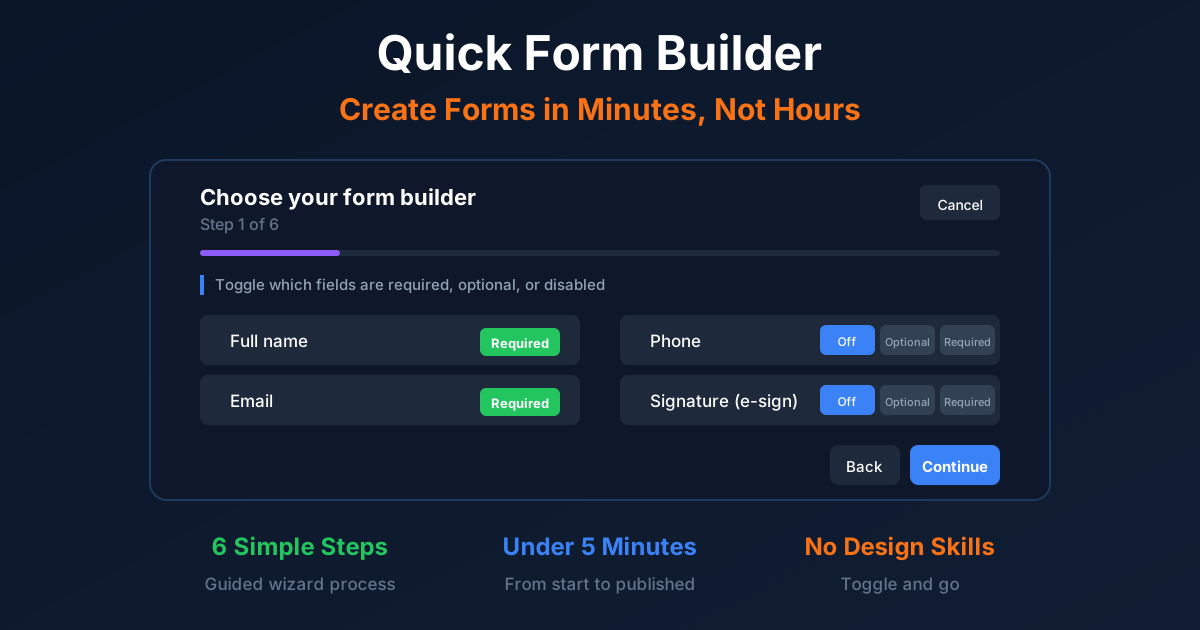
Quick Form Builder: Create Forms in Minutes
Create professional forms in minutes with Formfy's Quick Form Builder. Toggle fields, add questions, publish. No design skills needed.