
Digital Client Onboarding: Paperless Intake Forms Guide
Master digital client onboarding with paperless intake forms, e-signatures, and scheduling. Learn how to reduce onboarding time by 60% and boost retention.
Formfy Team
Product Team

Digital client onboarding has become essential for businesses operating in 2026's hybrid work environment. With 26% of full-time US employees now working hybrid and 88% of employers offering flexible work options, the traditional paper-based approach to client intake simply doesn't work anymore. Clients expect to complete forms from their phones, sign agreements electronically, and book appointments without playing phone tag.
Yet there's a disconnect: while 83% of professionals want automation in their onboarding processes according to eLearning Industry research, many businesses still rely on paper forms, manual data entry, and fragmented tools. This guide shows you how to build a complete digital client onboarding workflow using paperless intake forms, e-signatures, and integrated scheduling—and why all-in-one platforms deliver the best results.
What Is Digital Client Onboarding?
Digital client onboarding is the process of integrating new clients into your business using online tools instead of paper. It encompasses three core pillars: information collection through online intake forms, document signing via electronic signatures, and appointment scheduling through digital booking systems. All of this happens through a web browser or mobile device, eliminating paper, postage, and manual data entry.
Unlike traditional onboarding that might take days or weeks—waiting for forms to arrive by mail, chasing signatures, coordinating schedules by phone—digital onboarding can happen in minutes. Research from InstantPay shows that digital onboarding reduces processing time by 60%. That's not just efficiency; it's a competitive advantage when 74% of customers will go elsewhere if the purchasing process is too difficult.
In 2026's hybrid work reality, digital onboarding isn't optional. When your clients might be working from home, traveling, or in different time zones, they need the flexibility to complete onboarding on their terms. And when 29% of all paid US workdays are now done from home, that expectation extends to how they interact with your business.
The Business Case for Going Paperless
The Hidden Costs of Paper-Based Onboarding
Paper-based client intake carries costs most businesses never calculate. The Environmental Paper Network reports that the average office worker uses 10,000 sheets of paper per year. But paper costs are just the beginning.
Consider the true cost of manual onboarding:
- Printing and postage: $2-5 per client packet
- Data entry time: 15-30 minutes per client to transcribe information
- Error rates: Manual data entry has 20-30% error rates
- Filing and storage: Physical space, organization systems, retrieval time
- Lost documents: Forms that never arrive, get misfiled, or can't be found
- Follow-up time: Phone calls and emails chasing missing forms
- Compliance risk: Difficulty proving what was signed and when
When a form gets lost, a signature is missing, or data entry introduces errors, you're not just wasting time—you're creating client friction at the worst possible moment: their first impression of working with you.
The ROI of Digital Onboarding
The numbers tell a compelling story. According to HiBob research, organizations with effective digital preboarding see 82% better retention rates. iSmartRecruit found that employees with "highly effective" onboarding are 18 times more likely to feel committed to their organization.
The business impact extends beyond retention:
| Metric | Improvement |
|---|---|
| Onboarding time | 60% reduction (InstantPay) |
| Processing time | 50% faster (Touchstay) |
| Client retention | 82% better with strong preboarding (HiBob) |
| Revenue per employee | 60% increase with good onboarding (iSmartRecruit) |
| Employee commitment | 18x more likely with effective onboarding |
| Team retention | 50% higher with team-building onboarding |
Real estate companies have reported 40% reduction in transaction times after implementing digital onboarding. IT companies achieved 60% reduction in onboarding time with e-signatures alone. These aren't marginal improvements—they're transformative.
The Environmental Factor
Beyond efficiency and cost, there's the sustainability angle. Reducing paper usage aligns with corporate responsibility goals and appeals to environmentally conscious clients. For many businesses, going paperless is part of a broader commitment to sustainable operations that clients increasingly expect and appreciate.
The 7 Essential Components of Digital Client Onboarding
Building an effective digital onboarding workflow requires seven interconnected components. Here's what each involves and how modern platforms like Formfy address them:
1. Online Intake Forms
The foundation of digital onboarding is the intake form—the first substantive interaction where you collect client information. Effective intake forms are mobile-responsive, logically organized, and only ask for essential information.
Key capabilities needed:
- Multi-page forms to group related questions
- Field validation to ensure data quality
- File upload for supporting documents
- Progress indicators for longer forms
- Auto-save to prevent data loss
Formfy's Visual Canvas Builder provides a drag-and-drop interface with 15+ field types including signatures, initials, file uploads, headers, and dividers. The AI-assisted wizard can generate intake forms based on your business type, getting you started in minutes rather than hours.
2. E-Signatures for Agreements
Most client relationships require signed agreements—service contracts, NDAs, consent forms, liability waivers. Digital signatures eliminate the friction of printing, signing, scanning, and emailing (or worse, mailing) documents.
What to look for:
- Legally binding under ESIGN Act and UETA
- Timestamp and IP address logging
- Audit trail documentation
- Support for multiple signers
- Ability to request signatures via email or link
Formfy includes built-in digital signatures that are legally binding with complete audit trails. You can add signature fields to any form, send secure signing links to multiple parties, and download signed documents with full audit trail PDFs.
3. Appointment Scheduling
After collecting information and signatures, clients typically need to schedule an appointment—a consultation, kickoff meeting, or service delivery. Integrated scheduling eliminates the email back-and-forth that can delay onboarding by days.
Essential scheduling features:
- Availability management
- Multiple appointment types and durations
- Calendar integration
- Automatic confirmations and reminders
- Time zone handling
With Formfy's appointment scheduling, clients can book directly based on your availability settings. Choose from 15/30/60 minute slots or custom durations, collect payment at booking through Stripe integration, and let automatic confirmations and reminders handle the follow-up.
4. Document Collection
Beyond intake forms, you often need clients to provide existing documents—IDs, contracts, certifications, insurance cards. Secure file upload capabilities let clients attach what you need during onboarding.
Requirements:
- Multiple file format support
- Secure encrypted upload
- Size limit flexibility
- Preview and verification
- Organized storage
Formfy's file upload fields accept various formats and integrate with your submission management system, keeping all client documents organized and accessible.
5. Payment Collection
For many businesses, onboarding includes collecting a deposit, retainer, or first payment. Integrated payment processing eliminates a separate transaction step and reduces drop-off.
Payment capabilities:
- Secure card processing
- Integration with booking
- Support for deposits and full payments
- Receipt generation
- Recurring payment setup
Formfy includes native Stripe integration, allowing you to collect payments directly through your booking forms. Clients pay when they schedule, streamlining the entire process.
6. Automated Notifications
Manual follow-up doesn't scale. Automated notifications keep clients informed without requiring your constant attention—confirmations when forms are submitted, reminders before appointments, follow-ups for incomplete submissions.
Automation needs:
- Submission confirmations
- Appointment reminders
- Incomplete form follow-ups
- Custom email templates
- SMS notifications
Formfy provides automatic confirmations and reminders for scheduled appointments, plus webhook integrations with Zapier, Make, n8n, Slack, and Discord for custom automation workflows.
7. Centralized Management
All this data needs to go somewhere accessible. Centralized submission management lets you track every client through onboarding, export data for analysis, and maintain organized records.
Management features:
- Unified submission dashboard
- Search and filter capabilities
- Export to CSV/PDF
- Notification settings
- Team access controls
Formfy's submission management shows all responses in sortable tables with export capabilities, giving you complete visibility into your onboarding pipeline.
Industry-Specific Digital Onboarding Workflows
Different industries have different onboarding needs. Here are detailed workflows showing how digital onboarding applies to specific business types:
Consultants and Coaches
Workflow: Discovery questionnaire → Service agreement (e-signature) → Book first session → Payment
Key form fields:
- Current situation and challenges
- Goals and desired outcomes
- Budget and timeline expectations
- Previous relevant experience
- Preferred communication method
- Scheduling preferences
Why it works: Clients can complete discovery questions before the first call, allowing you to prepare. The signed agreement establishes the relationship formally, and integrated booking with payment commits them to showing up.
Healthcare Providers
Workflow: Patient intake → HIPAA consent (e-signature) → Appointment booking → Insurance information
Key form fields:
- Medical history and current conditions
- Medications and allergies
- Emergency contact information
- Insurance provider and policy details
- HIPAA acknowledgment and consent
Compliance note: Healthcare providers handling PHI should review their own compliance obligations. Formfy implements encryption, audit trail, and access controls; Formfy does not claim HIPAA certification. See pricing.
Legal Services
Workflow: Conflict check questionnaire → Engagement letter (e-signature) → Initial consultation booking
Key form fields:
- Case type and description
- Opposing parties (for conflict check)
- Relevant dates and deadlines
- Budget expectations
- Preferred contact method
Efficiency impact: Legal professionals spend significant time on administrative tasks. Automated intake with e-signatures lets attorneys focus on billable work while maintaining proper documentation.
Real Estate Agents
Workflow: Buyer/seller questionnaire → Agency agreement (e-signature) → Property viewing scheduling
Key form fields:
- Buyer: Budget, pre-approval status, location preferences, property requirements, timeline
- Seller: Property details, desired price, timeline, current mortgage status
Industry stat: Real estate companies have achieved 40% reduction in transaction times by implementing digital onboarding for client intake and agreement signing.
Creative Agencies
Workflow: Project brief → Contract (e-signature) → Kickoff meeting booking → Deposit payment
Key form fields:
- Project scope and objectives
- Brand guidelines and assets
- Key stakeholders and approvers
- Timeline and milestones
- Budget parameters
Value add: Collecting detailed project briefs before kickoff meetings ensures productive first conversations and demonstrates professionalism.
Fitness and Wellness
Workflow: Health questionnaire → Liability waiver (e-signature) → Class/session booking → Payment
Key form fields:
- Fitness goals and experience level
- Health conditions and limitations
- Emergency contact
- Waiver acknowledgment
- Class or membership selection
Risk management: Digital waivers with audit trails provide better legal protection than paper versions that can be lost or disputed. Learn more in our waiver software guide.
How to Build Your Digital Onboarding Workflow: Step-by-Step
Ready to implement digital client onboarding? Follow these seven steps:
Step 1: Map Your Current Onboarding Process
Before building anything, document your current workflow. List every touchpoint from first inquiry to fully onboarded client:
- What information do you collect?
- What documents require signatures?
- What appointments need scheduling?
- Where are the bottlenecks?
- What causes client frustration?
This audit reveals what to digitize and what to simplify. Often, you'll discover redundant steps or outdated requirements that can be eliminated entirely.
Step 2: Choose an All-in-One Platform
Single-purpose tools create friction. If clients need to complete a Typeform, then sign on DocuSign, then schedule on Calendly, they're navigating three different interfaces with three different accounts. Every handoff is a potential drop-off point.
Cost comparison:
- Typeform ($29-59/mo) + DocuSign ($15-45/mo) + Calendly ($10-20/mo) = $54-124+/month
- Formfy all-in-one: $19/month
Beyond cost, integrated platforms provide data continuity. Client information flows from intake to signature to scheduling without re-entry or integration headaches. See our Formfy vs Calendly comparison for detailed analysis.
Step 3: Create Your Intake Forms
Start with essential information only. The goal is getting what you need to begin the relationship, not conducting a comprehensive interview via form.
Best practices:
- Limit to 5-10 minutes completion time
- Split branching sections across multiple pages so clients only see what applies
- Group related fields logically
- Include clear progress indicators
- Write help text for confusing fields
Formfy's AI-assisted wizard can generate intake forms based on your business type. Describe your needs, and the wizard creates a starting structure you can customize.
Step 4: Set Up E-Signature Documents
Convert your existing agreements to fillable forms with signature fields. If you have PDF contracts, Formfy's PDF/Word conversion can transform them into digital forms.
Key elements:
- Clear signature placement
- Date fields that auto-populate
- Initial fields for key sections
- Terms that must be scrolled/read
- Audit trail enabled
For guidance on e-signature legality, see our complete guide: Are Electronic Signatures Legally Binding?
Step 5: Configure Appointment Scheduling
Set up your availability so clients can self-schedule. Define:
- Available days and hours
- Appointment types (consultation, kickoff, service)
- Duration options (15/30/60 minutes or custom)
- Buffer time between appointments
- How far in advance clients can book
If you collect payment at booking, connect Stripe to your scheduling form. Requiring payment dramatically reduces no-shows.
Step 6: Build Automation Workflows
Connect your onboarding forms to other systems through webhooks:
- Push submissions to your CRM
- Notify your team in Slack or Discord
- Add events to shared calendars
- Trigger follow-up email sequences
- Update project management tools
Formfy integrates with Zapier, Make, n8n, Slack, and Discord, enabling workflows that eliminate manual data transfer.
Step 7: Test and Refine
Before launching, complete the entire flow yourself as if you were a new client:
- Is every step clear?
- Does it work on mobile?
- Are confirmation emails professional?
- Is the time investment reasonable?
- Would you complete this?
Then launch with real clients and gather feedback. Track completion rates and identify where people drop off. Iterate based on data.
Digital Onboarding Best Practices for 2025
Keep Forms Short and Focused
Resist the temptation to collect everything upfront. Ask only what you need before the first meeting. Additional information can come later once the relationship is established.
Forms under 5 minutes have dramatically higher completion rates than longer ones. If you need extensive information, break it into stages or split branching sections across multiple pages so clients only see what applies.
Design Mobile-First
Over 60% of form completions happen on mobile devices. Test your entire workflow on phones and tablets:
- Are tap targets large enough?
- Does text display readably?
- Do file uploads work?
- Can signatures be completed on touchscreens?
- Is scrolling manageable?
Personalize the Experience
Use client names in confirmation emails. Tailor questions based on service type. Make automated communications feel human, not robotic.
Small touches—a welcome video, personalized instructions, a direct contact for questions—transform a transactional process into a relationship-building opportunity.
Ensure Security and Compliance
Different industries have different requirements:
- Healthcare: HIPAA compliance, BAA agreements
- Finance: SOC 2 compliance, data encryption
- Legal: Client confidentiality, secure storage
- General: SSL encryption, audit trails
Formfy is SOC 2 Type II compliant with encryption, audit trail, and access controls (Formfy does not claim HIPAA certification), providing the security foundation businesses need.
Set Clear Expectations
Tell clients exactly what to expect:
- How long will onboarding take?
- What information should they have ready?
- What happens after they complete forms?
- Who should they contact with questions?
- When will they hear from you?
Clarity reduces anxiety and improves completion rates.
Measure and Optimize
Track key metrics:
- Form completion rates (target: 80%+)
- Average completion time (target: under 10 minutes)
- Drop-off points (where do people abandon?)
- Time to first appointment (target: same day)
- Client satisfaction with onboarding
Use data to identify and fix friction points. Small improvements compound into significantly better client experiences.
Paper vs Digital Intake: A Direct Comparison
| Aspect | Paper Intake | Digital Intake |
|---|---|---|
| Processing Time | 3-5 days | Minutes |
| Error Rate | 20-30% (manual entry) | Under 5% (auto-validation) |
| Client Experience | Frustrating | Seamless |
| Storage | Filing cabinets | Secure cloud |
| Searchability | Manual search | Instant search |
| Compliance | Hard to prove | Full audit trail |
| Environmental Impact | High | Minimal |
| Cost per Client | $15-30 (paper, postage, filing) | Under $1 |
| Accessibility | In-person only | Anywhere, anytime |
| Scalability | Limited by staff | Unlimited |
The comparison is stark. Paper-based processes worked when business was local and linear. In 2026's distributed, always-on environment, digital onboarding isn't just more efficient—it's the expected standard.
The All-in-One Advantage: Why Integrated Platforms Win
The Tool Sprawl Problem
The average business now uses over 110 SaaS applications. Client data gets scattered across systems that don't talk to each other, creating integration headaches and data silos.
When onboarding requires multiple tools:
- Clients navigate different interfaces
- Data must be manually transferred
- Integrations break and need fixing
- Costs multiply across subscriptions
- No single view of client status
The Fragmented Approach Cost
Consider a typical non-integrated stack:
- Typeform for forms: $29-59/month
- DocuSign for signatures: $15-45/month per user
- Calendly for scheduling: $10-20/month per user
- Stripe for payments: Separate setup and management
For a 3-person team, you're looking at $150-300+/month just for onboarding tools—four dashboards, four logins, four learning curves.
The Integrated Solution
Formfy provides forms, e-signatures, scheduling, and payment collection in one platform for $19/month. Clients complete everything in one session. You manage everything from one dashboard.
The client experience difference:
Fragmented: "Here's a link to our intake form. After you complete that, I'll send the contract for signature. Once that's signed, here's a link to schedule our call."
Integrated: "Here's a link to complete our intake form, sign the service agreement, and book your consultation—all in one place."
One link. One workflow. One platform.
Measuring Digital Onboarding Success
Track these metrics to ensure your digital onboarding performs:
Form Completion Rate
Target: 80%+ What it measures: Whether clients who start forms finish them Low rate indicates: Form is too long, confusing, or mobile-unfriendly
Time to Complete
Target: Under 10 minutes for standard intake What it measures: Client time investment Track: Average completion time in your analytics
Time to First Appointment
Target: Same day as form completion What it measures: How quickly clients progress through onboarding Improvement: Integrated scheduling eliminates delay
Client Satisfaction
Method: Brief satisfaction survey after onboarding Question: "How would you rate your onboarding experience?" Use: Identify common complaints and fix them
Conversion Rate
Measure: Inquiries → Signed clients Compare: Before and after digital implementation Expected: Significant improvement from reduced friction
Support Requests
Track: Questions about onboarding process Goal: Fewer questions = clearer process Action: Address common issues proactively
Common Digital Onboarding Mistakes to Avoid
Mistake 1: Asking Too Much Too Soon
Requiring extensive information before establishing trust overwhelms potential clients. Start with essentials; gather more later.
Fix: Limit initial intake to information needed for the first meeting only.
Mistake 2: Ignoring Mobile Users
Forms designed on desktop often fail on mobile—tiny text, impossible-to-tap buttons, horizontal scrolling requirements.
Fix: Test every form on actual phones and tablets before launching.
Mistake 3: Unclear Instructions
Clients shouldn't have to guess what information to prepare or how the process works.
Fix: Add clear instructions at the beginning, help text for complex fields, and progress indicators throughout.
Mistake 4: No Follow-Up Automation
Clients who start but don't finish forms represent lost opportunities. Manual follow-up doesn't scale.
Fix: Set up automated reminder emails for incomplete submissions.
Mistake 5: Ignoring Security Concerns
Clients increasingly worry about data privacy. Generic or insecure-looking forms reduce trust.
Fix: Use platforms with visible security credentials (SSL, SOC 2, HIPAA when relevant) and clear privacy policies.
Mistake 6: Eliminating Human Touch
Full automation without personalization feels cold. Clients want efficiency, but they also want to feel valued.
Fix: Balance automation with personal touches—a welcome video, direct contact information, acknowledgment of their specific situation.
Mistake 7: Never Testing Your Own Flow
If you haven't experienced your onboarding as a client would, you don't know what's broken.
Fix: Complete your own onboarding flow regularly. Better yet, ask friends or family to try it and provide honest feedback.
Getting Started with Digital Client Onboarding
Start Small
You don't need to transform everything overnight. Begin with your most common client type and most-used forms:
- Digitize your primary intake form
- Add e-signature capability to your main agreement
- Integrate scheduling for initial consultations
- Expand from there based on what works
Quick Win Approach
Want results this week? Here's a fast path:
- Day 1: Sign up for Formfy free trial
- Day 1: Use the AI wizard to create your intake form
- Day 2: Add signature fields to your service agreement
- Day 2: Configure scheduling with your availability
- Day 3: Test the complete flow yourself
- Day 3: Send to your next new client
The Formfy Advantage
Formfy combines everything you need for digital client onboarding:
- AI-Assisted Form Builder: Describe your form, and the wizard generates it
- Visual Canvas Builder: Drag-and-drop with 15+ field types
- Digital Signatures: Legally binding with audit trail PDFs
- Appointment Scheduling: Built-in booking with Stripe payments
- Submission Management: All responses in one dashboard
- Sharing Options: Links, QR codes, email, SMS, website embed
- Integrations: Zapier, Make, n8n, Slack, Discord webhooks
All for $19/month—flat pricing, not per-user. Start your free trial today.
Frequently Asked Questions
What is digital client onboarding?
Digital client onboarding is the process of integrating new clients into your business using online tools instead of paper. It typically includes digital intake forms, electronic signatures for agreements, online scheduling for appointments, and automated notifications—all completed through a web browser or mobile device.
How do I create a client intake form online?
Use a form builder like Formfy to create client intake forms. Start by identifying what information you need, then use drag-and-drop tools to add fields like name, email, phone, and custom questions. AI-assisted form builders can generate forms based on your business type.
What should be included in a client intake form?
Essential elements include: contact information (name, email, phone), service-specific questions (goals, challenges, preferences), consent checkboxes (privacy policy, terms of service), and optional fields for additional context. Keep forms focused—collect only what you need before the first meeting.
How long should client onboarding take?
With digital tools, client onboarding can take as little as 10-15 minutes for the client to complete forms and book an appointment. The entire process from first contact to first meeting can happen within 24 hours, compared to days or weeks with paper-based methods.
Is digital onboarding secure?
Yes, when using reputable platforms. Look for features like SSL encryption, SOC 2 compliance, HIPAA readiness (for healthcare), audit trails, and secure data storage. Digital onboarding is often more secure than paper because it eliminates risks of lost documents and provides complete tracking.
Can I add e-signatures to my intake forms?
Yes, platforms like Formfy include built-in e-signature functionality. You can add legally binding signature fields to any form, capturing timestamps, IP addresses, and creating audit trail PDFs for compliance.
How do I automate client onboarding?
Use an all-in-one platform that combines forms, e-signatures, and scheduling. Set up automated confirmation emails, reminder notifications, and webhook integrations with your CRM. This eliminates manual tasks like sending follow-up emails or updating spreadsheets.
What's the best software for client intake forms?
For businesses needing forms, e-signatures, AND scheduling, all-in-one platforms like Formfy offer the best value at $19/month. For forms only, options include Typeform ($29-59/month) or Google Forms (free but limited). The key is choosing a solution that matches your complete workflow.
How do I go paperless with client onboarding?
Start by digitizing your most-used forms. Convert paper intake forms to online versions, replace physical signature requirements with e-signatures, and use online scheduling instead of phone booking. Store all documents in secure cloud storage instead of filing cabinets.
Do clients prefer digital or paper intake forms?
Research shows 63% of clients consider the onboarding experience when deciding to purchase, and 74% will go elsewhere if the process is too difficult. Digital forms offer convenience (complete anywhere, anytime), speed, and a professional impression that most clients prefer.
How do I collect payments during onboarding?
Use a platform with integrated payment processing. Formfy includes Stripe integration, allowing you to collect deposits, retainers, or session fees directly through your booking system. Clients pay when they schedule their appointment.
Can I use digital onboarding for healthcare clients?
Covered entities should ensure any vendor they use meets their HIPAA obligations (including a signed BAA). Look for features like encrypted data storage, audit trails, and access controls. Formfy implements encryption, audit trail, and access controls; Formfy does not claim HIPAA certification. Teams with covered-entity workflows should review their compliance obligations.
Ready to transform your client onboarding? Start your free Formfy trial—build your first digital intake form in minutes, add e-signatures, and enable appointment scheduling. One platform, one workflow, one link.
Formfy Team
Product Team
Related Articles
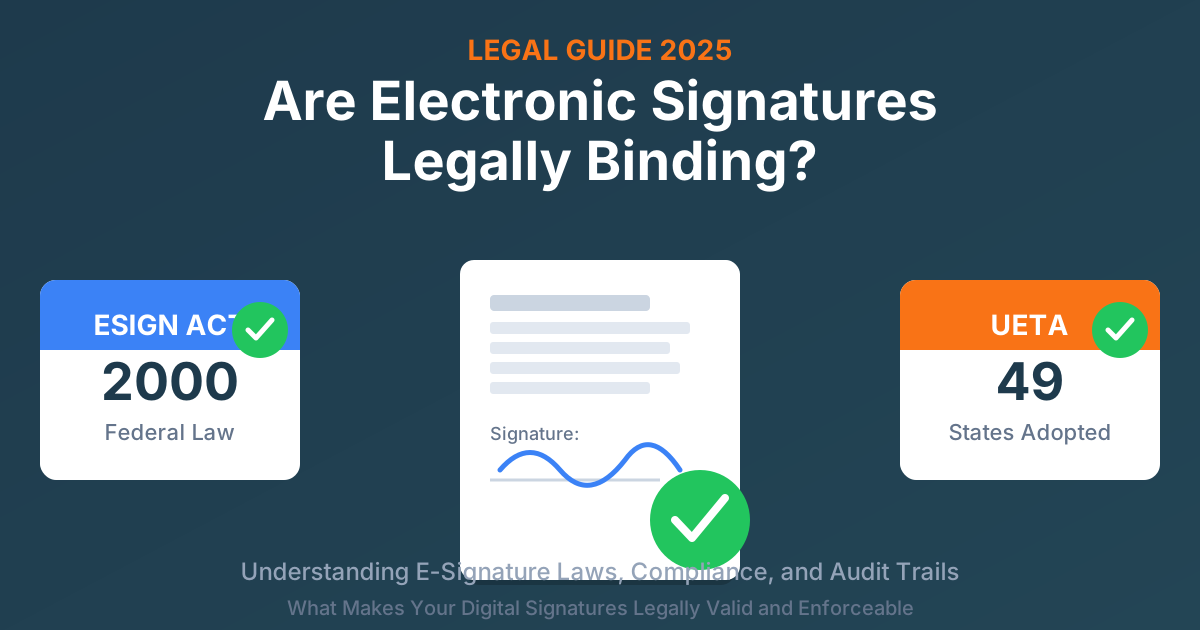
Are Electronic Signatures Legally Binding? 2025 Guide
What makes e-signatures legally valid under ESIGN Act and UETA. Compliance requirements, audit trails, and court defensibility.
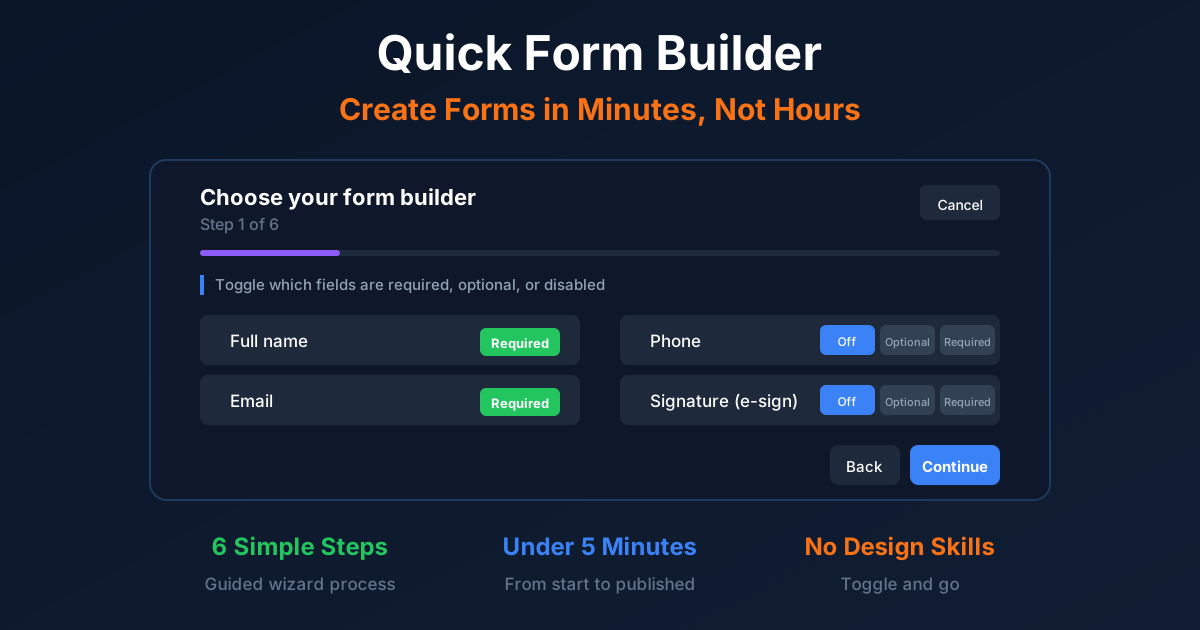
Quick Form Builder: Create Forms in Minutes
Create professional forms in minutes with Formfy's Quick Form Builder. Toggle fields, add questions, publish. No design skills needed.