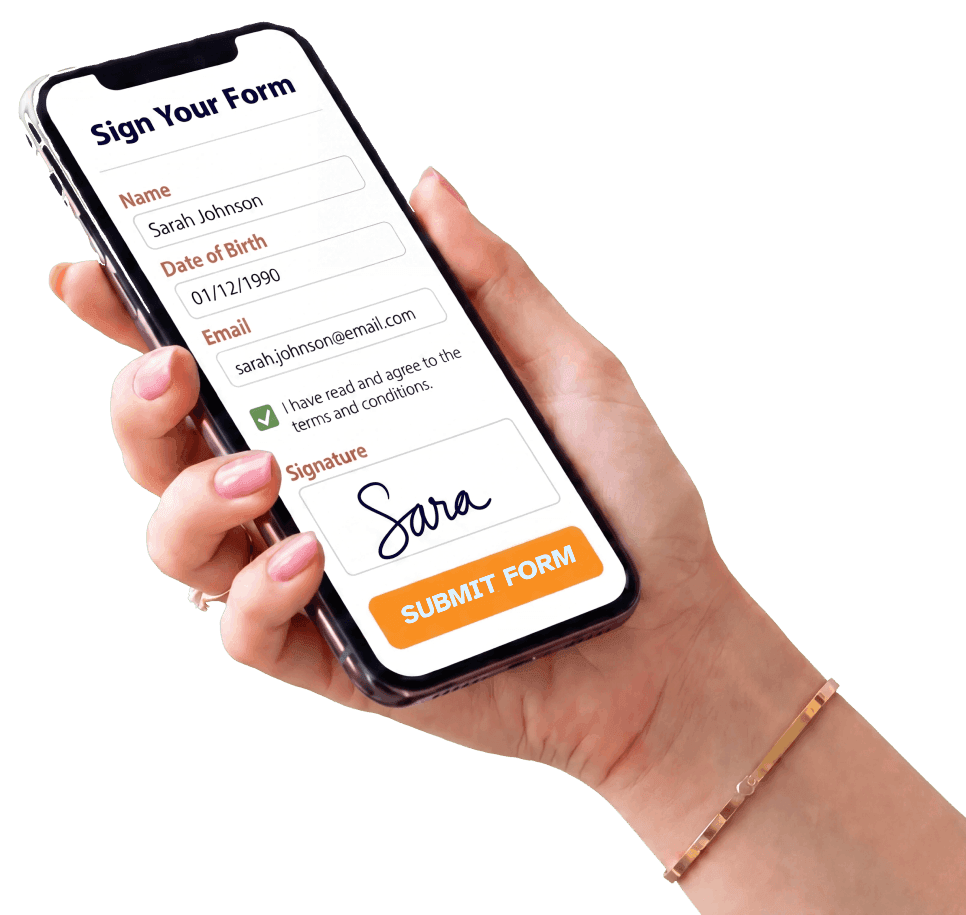
Hand holding a phone with a mental health intake form ready to complete and submit

AI Builds Your Mental Health Intake Form in Seconds. Text It Before They Arrive.

Formfy is the AI Agreement Engine for SMS-first client onboarding.

Formfy gives mental health practices and behavioral wellness providers everything needed to create, send, and collect digital intake forms, client questionnaires, and signed consent forms online. Clients complete and sign from any device before the first session.

Track submission progress, send automated reminders, and arrive to every appointment with completed intake paperwork already in hand.

Create My Intake Form With AI — Free

Trusted by over 7000 businesses

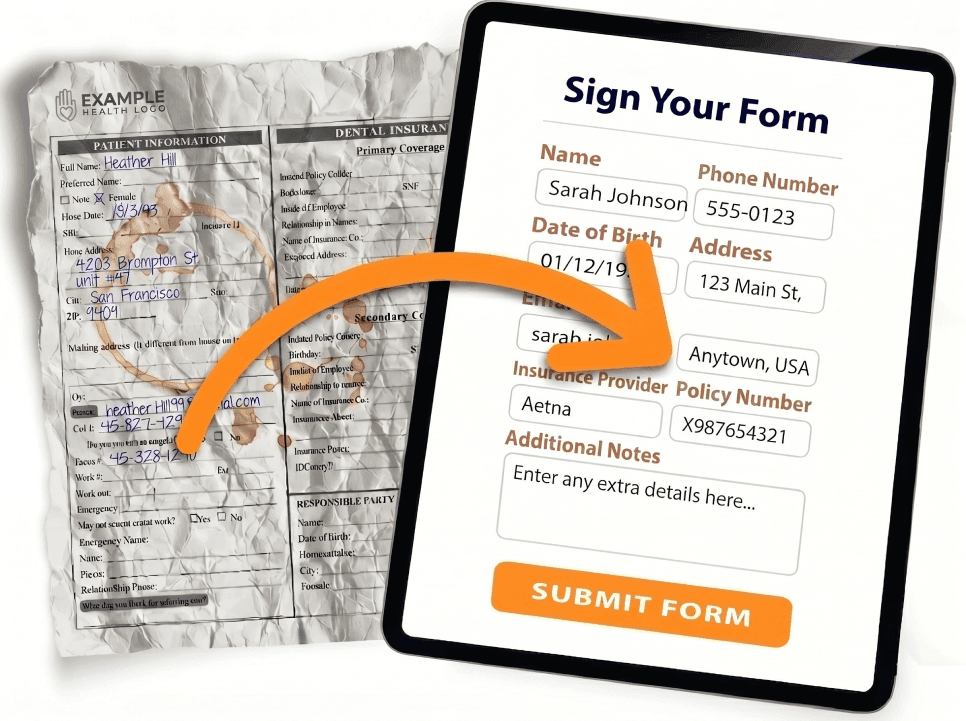
Turn your paper intake forms into online digital forms

  • AI Intake Form Builder
  • Drag-and-Drop Editor
  • Mobile-Friendly Forms
  • Embed Forms on Website
  • Text (SMS) Invitations
  • Email Invitations
  • Custom QR Code
  • Works on Any Device
  • File & Photo Uploads
  • Electronic Signatures
  • Custom Thank-You Page
  • Submission Tracking
  • Print, PDF & CSV Export
  • Conditional Logic
  • Custom Branding
  • No Contracts, Cancel Anytime

Mobile-friendly mental health intake forms your clients can complete from any device, anywhere. A modern alternative to paper forms, clipboards, and emailed PDFs.

Paper intake form transforming into a clean digital form on a tablet

See Formfy in action

Watch how it works in under 1 minute

A complete AI-powered form, waiver, and e-signature workflow

AI Form CopilotStart OverBuilderHi! I'm here to help you build a HIPAA-alignedpatient form. What specialty is this for, and whichvisit type will this form support?Tip: Paste existing text — intake, telemedicine consent, HIPAA authorization.TRY AN EXAMPLEPatient intakeTelemedicineHIPAA authRecords requestNPP ackPre-Op ConsentInjectablesMed SpaPediatricCreate a new-patient intake form for a primary-carepractice with medical history, insurance, allergies,medications, and HIPAA NPP acknowledgment.105/3000

Generate forms, waivers, and contracts with AI Copilot

Describe the form you need in plain English. Copilot drafts fields, consent clauses, liability waivers, policy language, and signature blocks in seconds.

Drag & DropPDFFirst nameLast nameE-mail addressAddressCitySubjectSignature

Upload & convert your existing PDFs and paperwork

Drop in any PDF contract, waiver, scanned form, or Word doc. AI extracts every field and rebuilds it as a live e-signature workflow on any device.

Sign Your FormNameSarah JohnsonDate of Birth01/12/1990Emailsarah.johnson@email.comI have read and agree to theterms and conditions.SignatureSIGN FORM BY SMS

Send by SMS to any device

Text a secure link by SMS, email, or share a QR code for on-site check-in. The signer opens it in their browser over HTTPS, signs, and submits — from their phone, tablet, or laptop.

9:41THURSDAY, APRIL 16FFORMFYnowSarah Johnson just signedPatient Intake Form · Tap to viewFFORMFY · 2m agoMarcus Chen just signedTelemedicine ConsentFORMFY · 8m agoEmily Torres signed HIPAA Authorization12 newSMS

Get notified the second a document is signed

Instant SMS and email notifications the moment a contract, waiver, or consent form is signed. One dashboard tracks every submission, sends reminders, and stores every signed document with a tamper-evident audit trail.

FORMFYSignatureSMSEMAILLINKQR CODE

Send it any way your signers prefer

Deliver by SMS, email, or shareable link. Print a QR code on flyers, signage, or follow-up emails. Meet every signer exactly where they are — phone, tablet, or kiosk.

TEMPLATEsign hereSENDSIGNSIGNSIGN

Build once. Send to everyone.

Design your perfect form or agreement with AI, then send it to every new client. Reusable templates, multi-signer workflows including parent / guardian flows, and integrated file collection built in.

Formfy AI Copilot

Build a Ready in Seconds with AI.

Create forms, waivers, and agreements in seconds with AI.
Contracts, consents, releases, and registrations — signed and sent by SMS or email.

Describe the form or agreement you need…
Sign Your Form Name Jonathan Doe Date of Birth MM/DD/YYYY Email jdoe@email.com Signature I have read and agree to the terms and conditions. Liability SUBMIT Sign Your Form Name Sarah Johnson Date of Birth 01/12/1990 Email sarah.johnson@email.com I have read and agree to the terms and conditions. Signature Sarah Johnson SIGN FORM BY SMS

Why Teams Switch to Formfy

Better forms and faster signatures. Less friction at sign-off. Happier teams and clients.

AI-Generated Form Language

Stop pasting from generic templates. Our AI Copilot drafts liability waivers, consent clauses, service agreements, and release language tailored to your business in seconds.

Send by SMS

Text the form link directly to your client’s phone. They open it, read, and sign before they arrive — no clipboards, no PDFs going back and forth by email.

Stronger Audit Trail for Every Signature

Every signed document captures timestamps, IP addresses, and a certificate of authenticity. Legally-binding e-signatures under the ESIGN Act, UETA, and eIDAS — with a verifiable chain of custody for every record.

Replace Paper and PDFs

Upload your existing PDF contracts and waivers or let AI build new ones. Every submission is stored digitally, searchable instantly, and backed up automatically. Retire the filing cabinet.

Eliminate Sign-Off Bottlenecks

Clients arrive with paperwork already completed — not waiting on a printer or scanner. Your team gets started instead of chasing signatures.

Multi-Signer & Parent/Guardian Workflows

Built-in multi-signer flows for parent and legal-guardian authorization, co-signers, and witnesses. Require the proper signatory chain on every agreement — with a full audit trail.

They love Formfy — and so do their clients

Formfy transformed how we onboard new clients. They complete intake forms and consent documents before their first appointment, so we can focus the session entirely on the client from the very beginning.

C

CLEARVIEW WELLNESS CENTER

Rachel D., Clinical Director

We used to spend hours tracking down paperwork before new client sessions. Now everything is digital — clients submit intake forms, sign consent, and we're ready to go before they even walk in the door.

M

MINDBRIDGE BEHAVIORAL HEALTH

James L., Practice Administrator

Frequently Asked Questions

What is an intake form for mental health services?

An intake form for mental health services collects essential information from a client before care or services begin. It typically includes contact details, reason for seeking services, relevant background, preferences, and a consent or acknowledgment section. A digital version helps reduce waiting-room paperwork, streamline check-in, and keep client information organized from day one.

What should be included in a mental health intake form?

A complete mental health services intake form typically includes client name, contact information, date of birth, emergency contact, reason for visit and service goals, relevant personal or family background, preferred communication method, any medications or health considerations relevant to the service, consent and acknowledgment language, and a signature. Required fields vary by provider type, location, licensing requirements, and service model. Always verify with the appropriate legal and clinical advisors for your jurisdiction.

How does Formfy's AI build a mental health intake form?

Describe your practice — for example, 'outpatient mental health clinic offering individual and group sessions' — and Formfy's AI Copilot generates a complete intake form with contact fields, background questions, and consent language. Review the result, customize as needed, and publish in under a minute.

Can clients fill out mental health intake forms on their phone?

Yes. Formfy forms are fully mobile-optimized. Clients tap the link from SMS or email, complete the intake form on any phone, tablet, or desktop, and submit without needing to download an app. The process works seamlessly on any modern browser.

Can a mental health intake form include a digital signature?

Yes. Formfy includes electronic signature support compliant with the ESIGN Act and eIDAS. Clients can sign intake and consent sections digitally before their first session — no printing, scanning, or in-office paperwork required.

Is a mental health intake form the same as a consent form?

Not exactly. An intake form collects client background, contact information, and service-related history. A consent form documents the client's agreement to the terms, policies, and conditions of service. Formfy lets you combine both into a single digital form so clients complete and sign everything in one step before their first appointment.

When should I send a mental health intake form?

Most practices send intake forms 24–48 hours before the first appointment so clients have time to complete them without rushing. Formfy's SMS and email delivery makes it easy to send intake forms immediately after scheduling.

Is Formfy.ai a full EHR or clinical practice management system?

No. Formfy is a digital form builder and e-signature platform — not an electronic health record, clinical practice management system, or medical provider. Formfy does not provide medical advice, clinical assessments, or treatment recommendations. Formfy helps you create, send, and collect digital intake and consent forms. For clinical record-keeping, scheduling, billing, or clinical guidance, use a dedicated EHR or consult a licensed professional. Always verify your legal, privacy, clinical, and HIPAA requirements with the appropriate advisors for your jurisdiction.

Is there a free trial?

Yes! Formfy offers a 15-day free trial with no credit card required. Create your mental health intake form with AI, send it by SMS or email, collect digital signatures, and test the full platform before committing. Paid plans start at $19/month.

Get Started Free

Start your free trial today and create your first mental health intake form in minutes.

Start a Free Trial

Formfy gives mental health practices and behavioral wellness providers everything needed to send and receive intake forms, client questionnaires, and consent forms online — including therapy intake forms, counseling intake forms, and massage therapy intake forms. We help practices that:

  • Are still using paper intake forms for new mental health clients
  • Are emailing PDF consent and intake forms back and forth
  • Are spending time chasing down incomplete intake paperwork before first sessions