Sports Tournament Liability Waiver
Use a sports tournament liability waiver as your starting point, then collect client signatures digitally via SMS or shareable link.
No credit card required · Customizable in minutes · Digital signatures supported
There’s a better version of that template.
A static PDF or Word template gets you 20% of the way there. Formfy gets you the other 80%.
⚠ Static template
- Clients forget to sign before an activity or appointment
- Paper waivers get lost or damaged
- No way to prove a signature was collected
- Manually editing the same form for every new client
- Submissions scattered across clipboards and email attachments
✓ Formfy template
- Send the release by SMS before they arrive — collected before the door
- Full audit trail: timestamp, IP, signature on every submission
- Reusable template — customize once, send to anyone
- Clients sign on their phone in under a minute
- All signed releases stored and searchable in one dashboard
Four steps from template to live workflow
Customizable, signable, trackable — without writing a line of code.
Start with the template
Use a professionally structured liability release as your baseline
Customize your language
Edit activity names, clauses, and branding to match your business
Send before they arrive
Text or email the form — clients sign on their phone in seconds
Track every signed release
Full audit trail with timestamps and signatures stored automatically
Don’t have a template yet?
Describe it. Formfy builds it.
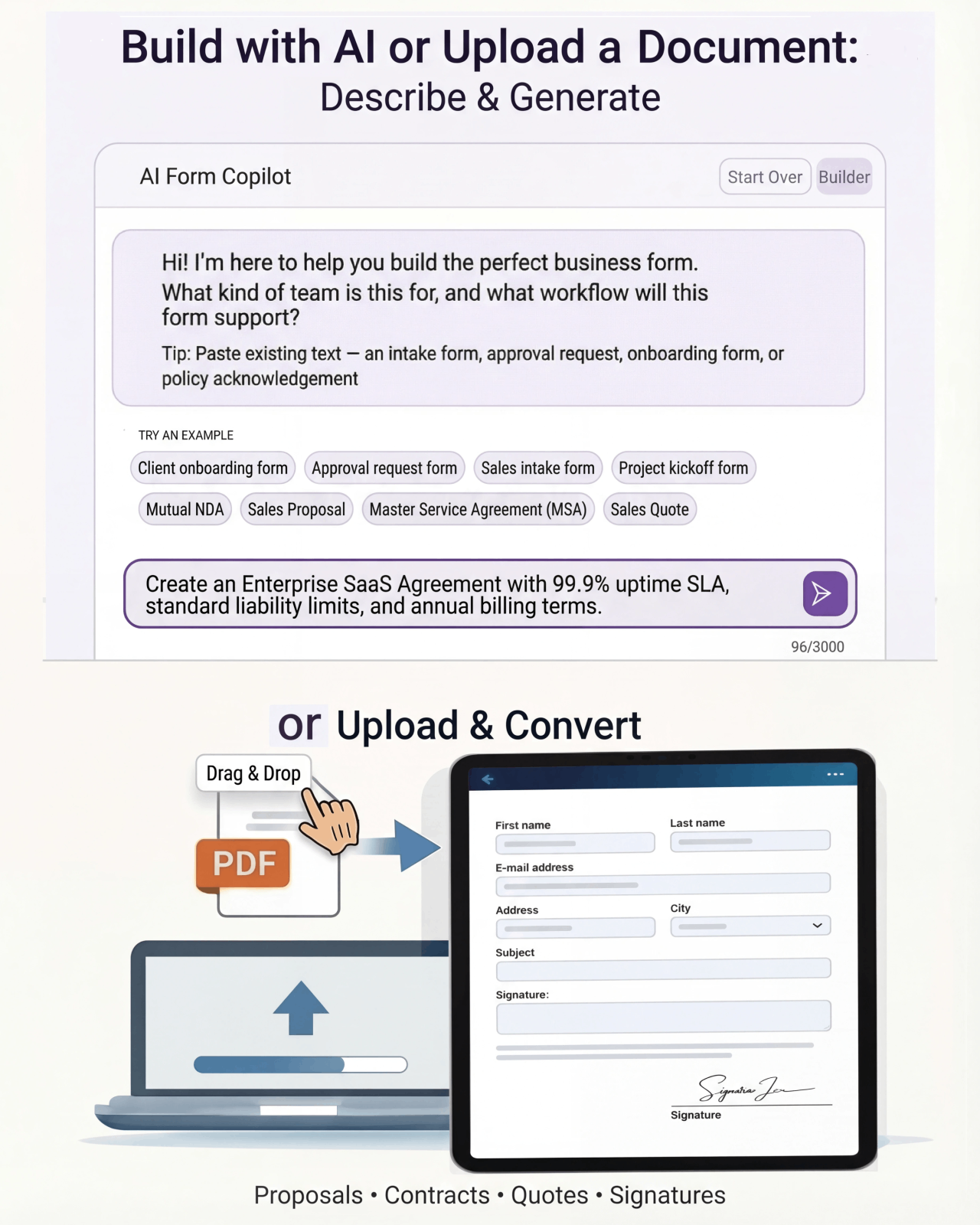
Tell Formfy what kind of form you need — treatment consent, liability waiver, client intake — and the AI drafts a structured, professional version in seconds. Customize from there.
Tell Formfy what you need in a sentence or two
AI builds a structured form instantly
Share by SMS, email, or link
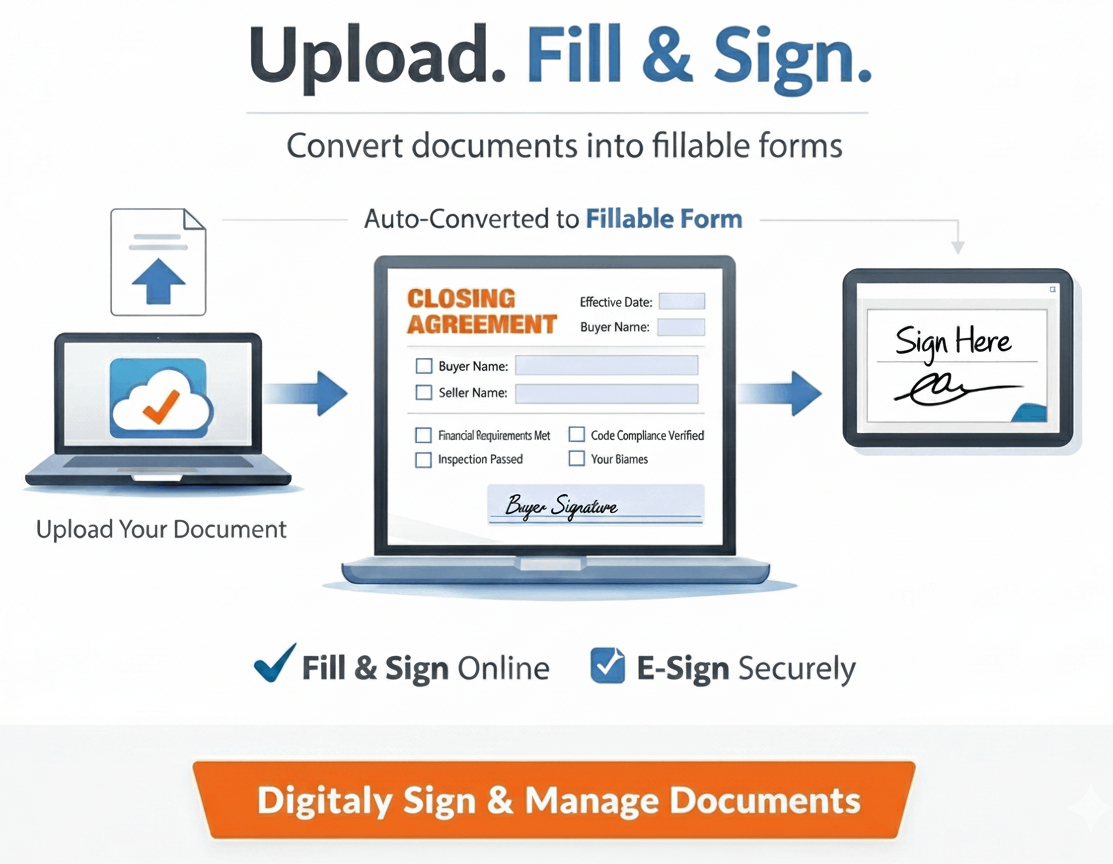
Upload your existing PDF or Word template.
Formfy converts it.
Have a form you’ve been using for years? Upload it. Formfy rebuilds it as a digital workflow — same content, same structure, no manual re-entry.
How much time are you spending on waiver follow-up?
Drag the sliders to estimate what manual waiver collection is actually costing your operation.
Questions about using Formfy templates
A release of liability form is a legal document in which one party agrees to waive the right to hold another party responsible for injuries, damages, or losses that may occur during an activity or service. Formfy provides release of liability form templates that can be customized and collected digitally with legally compliant e-signatures.
Yes. Formfy's release of liability templates are fully editable. You can modify the activity description, risk disclosures, indemnification language, and any other clause to match your specific business, service, or activity — without any coding or legal software required.
Yes. Electronic signatures collected through Formfy are compliant with the federal ESIGN Act and the Uniform Electronic Transactions Act (UETA), which give e-signatures the same legal standing as handwritten signatures in the United States. Every Formfy-signed document includes a full audit trail with timestamp, IP address, and signature record.
Yes. Formfy allows you to send liability release forms directly to a recipient's phone number via SMS. The recipient receives a text message with a link, opens it on their phone, and can complete and sign the release in under a minute — before they arrive at your facility or event.
Yes. Formfy accepts PDF, Word, and image uploads of existing forms. Upload your current liability waiver and Formfy rebuilds it as a structured digital form — preserving your existing language and structure while adding digital signature collection, SMS delivery, and automatic submission tracking.
A liability waiver and a release of liability form are functionally the same document — both are agreements where a participant waives the right to hold an organization liable for certain risks. The terminology varies by industry and region. Formfy templates cover both liability waivers and release of liability forms and can be customized for any activity or service.
Formfy offers full access to all release of liability form templates during a 15-day free trial with no credit card required. Sign up at formfy.ai, select the liability release template, customize it for your activity or service, and send it digitally — all within the free trial period.
Yes. Once a Formfy liability release form is published, it can be sent to any number of participants. Every submission is stored separately with the individual's name, signature, and timestamp. For events or classes, you can send the same form link to a group or display a QR code that multiple people can scan and sign individually.
Turn your liability template into a real digital workflow.
Start with the template, customize it for your activity or service, and collect signatures before clients ever arrive. Every submission tracked, every signature stored.
Your team doesn’t have to figure this out alone.
Real humans, real help, fast setup.
Chat With Our Team
Talk to a real person who can help you set up your first forms and digitize existing documents.
Free Form Digitizing
Send us your PDF or paper form. We rebuild it as a digital workflow — at no extra cost.
Live in Minutes
Most users publish their first form in under 10 minutes. No training, no implementation projects.