Consulting Client Intake Form
Use a consulting client intake form as your starting point, then collect client signatures digitally via SMS or shareable link.
No credit card required · Customizable in minutes · Digital signatures supported
There’s a better version of that template.
A static PDF or Word template gets you 20% of the way there. Formfy gets you the other 80%.
⚠ Static template
- Every new client means rebuilding the same onboarding documents
- Agreements, SOWs, and NDAs get scattered across email threads
- No standardized process for collecting signatures and payments together
- Onboarding takes days of back-and-forth instead of hours
- Hard to track which clients have completed all required steps
✓ Formfy template
- One reusable onboarding template — send to every new client in seconds
- Collect service agreement signatures, intake info, and payment in one workflow
- Clients complete everything from one link — no printing, no scanning
- Track exactly where each client is in the onboarding process
- Professional, consistent experience for every client from day one
Four steps from template to live workflow
Customizable, signable, trackable — without writing a line of code.
Start with the onboarding template
A structured form covering agreements, intake, and approvals
Customize for your service or project
Edit scope language, payment terms, and required fields
Send to new clients with one link
Clients sign the agreement, complete intake, and pay — all in one flow
Every client’s status in one dashboard
See who’s completed onboarding and who still needs to sign
Don’t have a template yet?
Describe it. Formfy builds it.
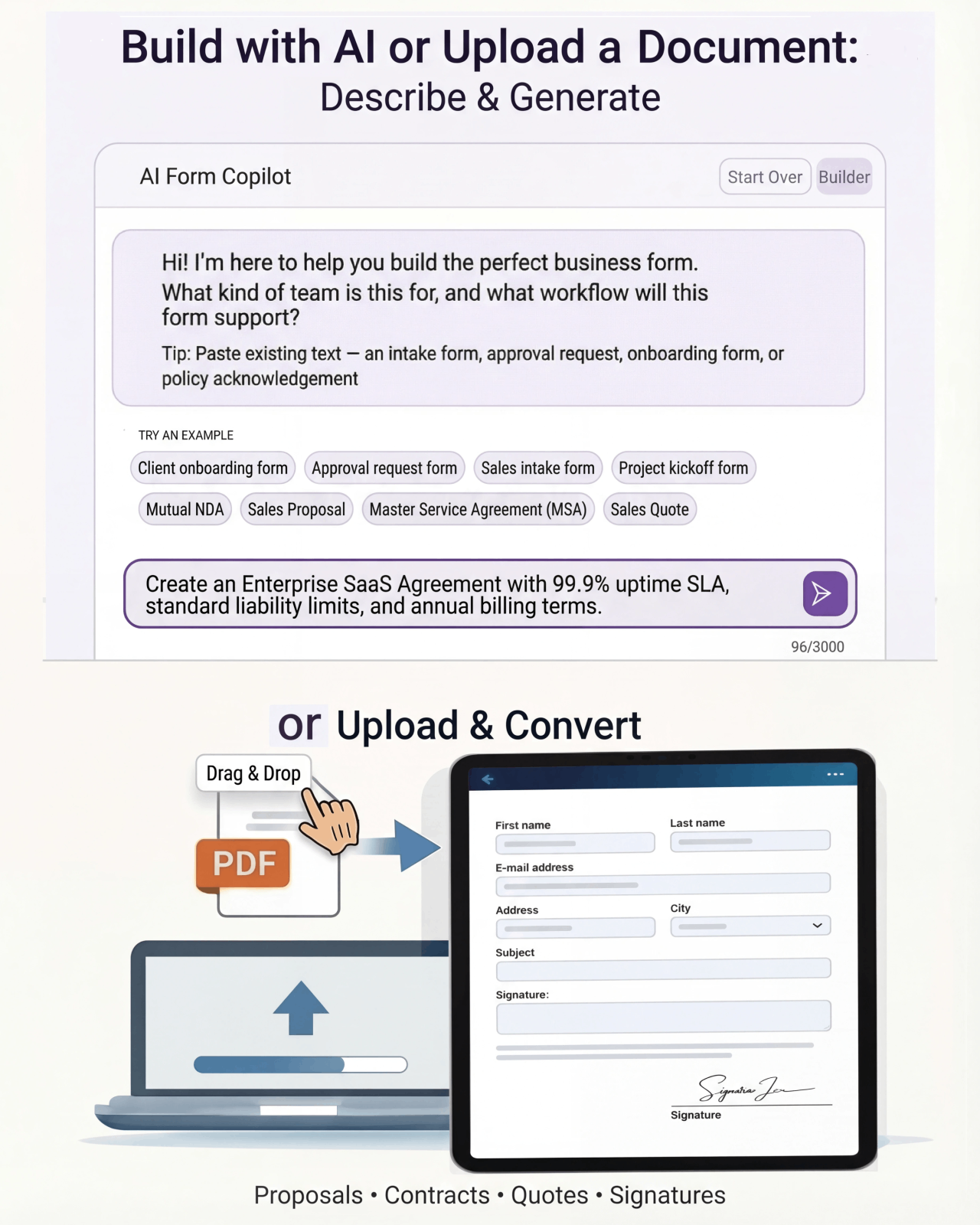
Tell Formfy what kind of form you need — treatment consent, liability waiver, client intake — and the AI drafts a structured, professional version in seconds. Customize from there.
Tell Formfy what you need in a sentence or two
AI builds a structured form instantly
Share by SMS, email, or link
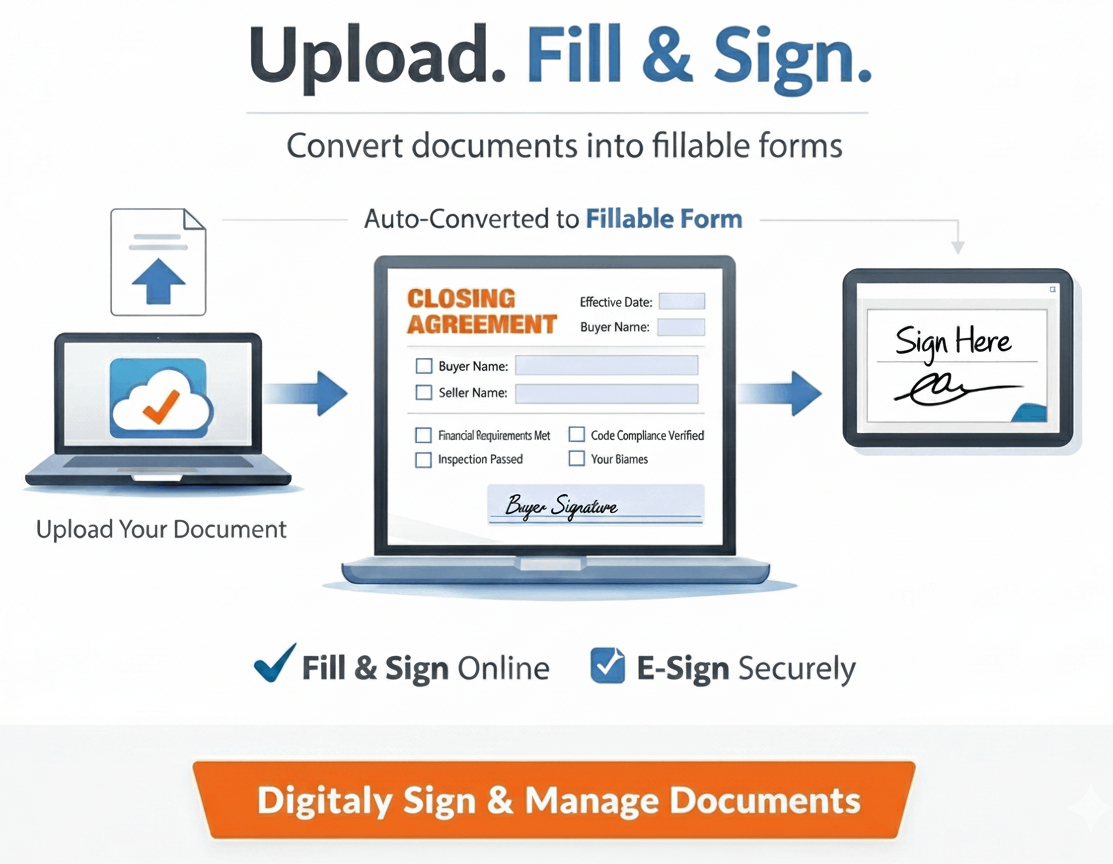
Upload your existing PDF or Word template.
Formfy converts it.
Have a form you’ve been using for years? Upload it. Formfy rebuilds it as a digital workflow — same content, same structure, no manual re-entry.
How much does a slow onboarding process cost per new client?
Estimate the time your team spends on manual onboarding paperwork per week.
Questions about using Formfy templates
A client onboarding form should collect: client contact and billing information, the scope of services agreed upon, payment terms and authorization, any relevant background information about the client's business or goals, agreements or terms of service requiring signature, and optionally NDA or confidentiality provisions. Formfy's client onboarding templates include all standard sections and can be customized for any service type.
With Formfy, you build your client onboarding form or agreement, publish it, and send it via SMS or a shareable link. Clients open the link on any device — computer or phone — complete the required fields, and sign electronically. Signatures collected through Formfy are compliant with the ESIGN Act and UETA. The entire process typically takes a client under five minutes.
Yes. Formfy integrates with Stripe and PayPal, allowing you to include a payment collection step in your onboarding workflow. Clients can sign the service agreement and pay the deposit or first invoice in the same form — reducing the number of back-and-forth steps required to start a new engagement.
Yes. Once you build a client onboarding form in Formfy, you can send it to any new client — each submission is stored separately with the individual client's information and signature. You can also customize minor details per client before sending, or maintain separate templates for different service tiers.
All signed onboarding agreements and submissions are stored automatically in your Formfy dashboard, organized by submission date and searchable by client name. You can view individual agreements, download signed PDF copies, and access the full audit trail for each signed document at any time.
Yes. Formfy provides full access to all client onboarding form templates during a 15-day free trial with no credit card required. You can customize the template for your service, add a payment step, and send it to new clients — all within the free trial at formfy.ai.
Digital onboarding forms through Formfy eliminate several inefficiencies of document-based onboarding: clients sign electronically rather than printing and scanning, all information is collected in one structured form rather than scattered across emails, payment can be collected in the same workflow, and all signed agreements are stored automatically with audit trails. Most clients complete a Formfy onboarding form in under five minutes.
Yes. Formfy supports team accounts where multiple staff members can each have their own login. Onboarding forms built in a Formfy account can be sent by any authorized team member, with all submissions and signed agreements stored in the same centralized dashboard — visible to the whole team.
Your best clients deserve a better onboarding experience.
Start with the onboarding template, customize it once, and send it to every new client. Agreements, signatures, and payments — in one clean workflow.
Your team doesn’t have to figure this out alone.
Real humans, real help, fast setup.
Chat With Our Team
Talk to a real person who can help you set up your first forms and digitize existing documents.
Free Form Digitizing
Send us your PDF or paper form. We rebuild it as a digital workflow — at no extra cost.
Live in Minutes
Most users publish their first form in under 10 minutes. No training, no implementation projects.