Body Contouring Consent Form
Use a body contouring consent form as your starting point, then collect client signatures digitally via SMS or shareable link.
No credit card required · Customizable in minutes · Digital signatures supported
There’s a better version of that template.
A static PDF or Word template gets you 20% of the way there. Formfy gets you the other 80%.
⚠ Static template
- Clients fill out paper forms in the waiting room, delaying appointments
- Handwritten intake forms are hard to read and store
- No easy way to send consent forms before the appointment
- Paper consent forms get filed away and are hard to retrieve
- Manual follow-up if a client forgets to sign
✓ Formfy template
- Send the consent form by SMS before the appointment — clients complete it at home
- Customize fields for specific treatments in minutes
- Collect intake information and signatures in one digital workflow
- All submissions organized and searchable by client
- Appointment runs on time — consent already collected
Four steps from template to live workflow
Customizable, signable, trackable — without writing a line of code.
Start with the template
Use a medspa-ready consent structure built for treatment workflows
Customize for your treatments
Edit fields, add treatment-specific questions, apply your branding
Send by SMS before the appointment
Clients sign from their phone — before they walk in the door
View all signed consents in one place
Every submission stored, searchable, and ready if you ever need it
Don’t have a template yet?
Describe it. Formfy builds it.
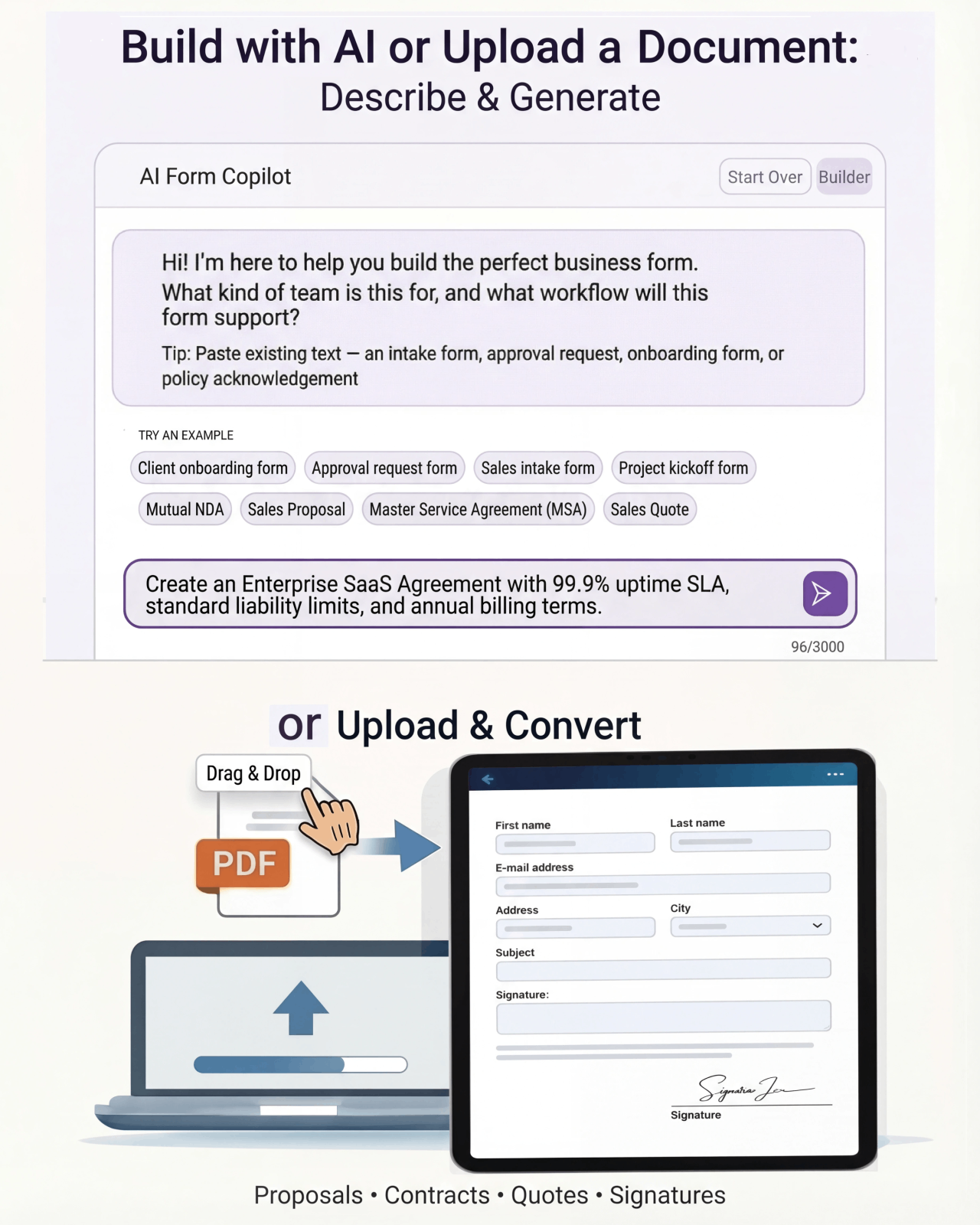
Tell Formfy what kind of form you need — treatment consent, liability waiver, client intake — and the AI drafts a structured, professional version in seconds. Customize from there.
Tell Formfy what you need in a sentence or two
AI builds a structured form instantly
Share by SMS, email, or link
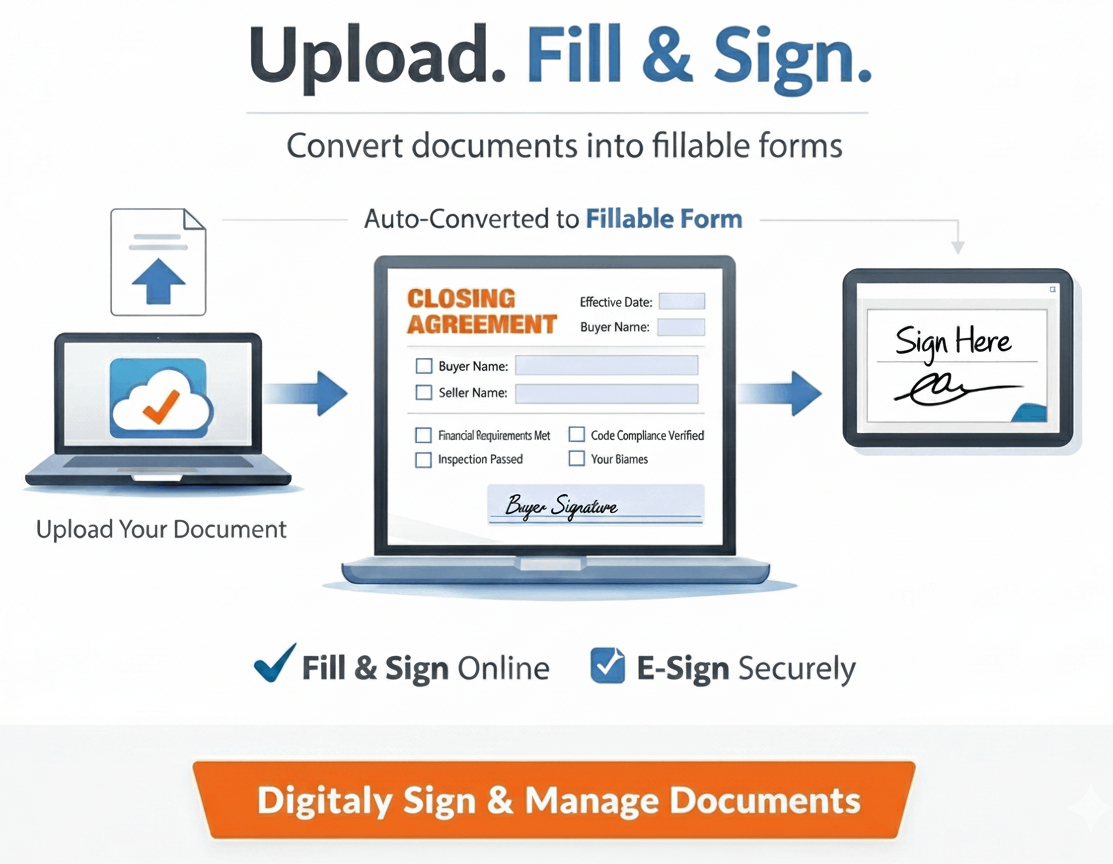
Upload your existing PDF or Word template.
Formfy converts it.
Have a form you’ve been using for years? Upload it. Formfy rebuilds it as a digital workflow — same content, same structure, no manual re-entry.
How much time does your front desk spend on paper forms?
Estimate the real cost of manual consent form collection in your practice.
Questions about using Formfy templates
A comprehensive medspa consent form should include: the specific treatment being performed, associated risks and side effects, the client's medical history relevant to the treatment, contraindications the client confirms they do not have, pre-care and aftercare instructions the client acknowledges, and the client's signature with date. Formfy's medspa consent form templates include all of these sections and are fully customizable for specific treatments.
Yes. Formfy supports SMS and email delivery of medspa consent forms. When a client books an appointment, you can send the consent form to their phone number. They complete and sign it at home before arriving, so appointments can start on time with consent already documented.
Yes. You can build separate Formfy consent forms for each treatment — Botox, fillers, laser treatments, chemical peels, microneedling, and others — each with treatment-specific questions, risk disclosures, and pre-care instructions. All forms are stored and managed within your Formfy account.
Yes. Every consent form submitted and signed through Formfy includes a complete audit trail — the date and time of submission, the IP address of the device used, and the signature record. This documentation is stored in your Formfy dashboard and is retrievable at any time.
Yes. Formfy consent forms support multiple field types including text fields, dropdowns, checkboxes, and date pickers. You can combine client medical history questions, allergy disclosures, medication lists, contraindication confirmations, and consent signature capture in a single digital form.
Yes. Formfy offers full access to all medspa consent form templates during a 15-day free trial with no credit card required. You can customize the template for your specific treatments, send it to clients by SMS, and collect signed consents — all within the free trial at formfy.ai.
Digital medspa consent forms collected through Formfy offer several advantages over paper: they can be sent and signed before the appointment rather than in the waiting room, they are legible and consistently formatted, they are stored digitally and searchable by client name or date, they include a timestamp and audit trail, and they reduce front-desk processing time. Formfy also supports SMS delivery, so clients can sign from their own device.
Yes. Formfy supports team accounts where multiple staff members can each have their own login. Forms built in a Formfy account can be used and sent by any authorized team member, with all submissions stored in the same centralized dashboard.
Send your consent form before they arrive. Collect it before the appointment starts.
Start with a medspa consent template, customize it for your treatments, and send it by SMS. Signatures and intake data — all in one dashboard.
Your team doesn’t have to figure this out alone.
Real humans, real help, fast setup.
Chat With Our Team
Talk to a real person who can help you set up your first forms and digitize existing documents.
Free Form Digitizing
Send us your PDF or paper form. We rebuild it as a digital workflow — at no extra cost.
Live in Minutes
Most users publish their first form in under 10 minutes. No training, no implementation projects.