Behavioral Health Intake Form
Customize a behavioral health intake form and turn it into a live digital workflow with e-signatures, SMS delivery, and centralized tracking.
No credit card required · Customizable in minutes · Digital signatures supported
There’s a better version of that template.
A static PDF or Word template gets you 20% of the way there. Formfy gets you the other 80%.
⚠ Static template
- New patients fill out paper intake forms in the waiting room
- Handwritten forms are time-consuming to process and store
- No way to send intake forms before the appointment
- Patients forget to bring completed paperwork
- Staff manually enters paper data into systems
✓ Formfy template
- Send intake forms by SMS when the appointment is booked
- Patients complete everything from their phone before they arrive
- Medical history, consents, and signatures in one digital workflow
- All submissions organized by patient and date
- Appointments start on time — intake already complete
Four steps from template to live workflow
Customizable, signable, trackable — without writing a line of code.
Start with the intake template
A structured form covering patient info, medical history, and consents
Customize for your practice
Add specialty-specific questions, remove what doesn’t apply
Send when they book
Patients receive a link by SMS or email and complete it at home
View completed intakes before the appointment
All patient information ready before they walk in the door
Don’t have a template yet?
Describe it. Formfy builds it.
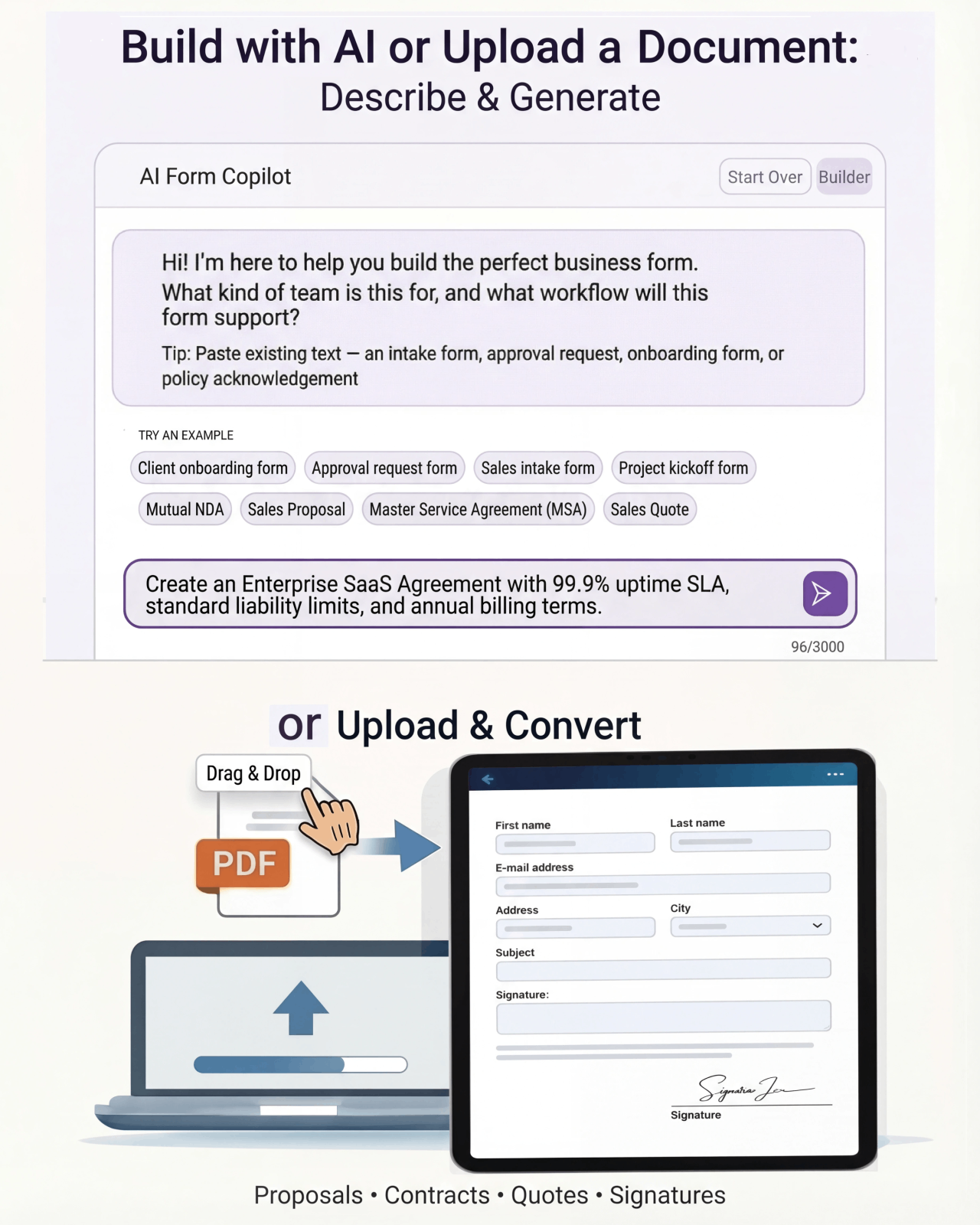
Tell Formfy what kind of form you need — treatment consent, liability waiver, client intake — and the AI drafts a structured, professional version in seconds. Customize from there.
Tell Formfy what you need in a sentence or two
AI builds a structured form instantly
Share by SMS, email, or link
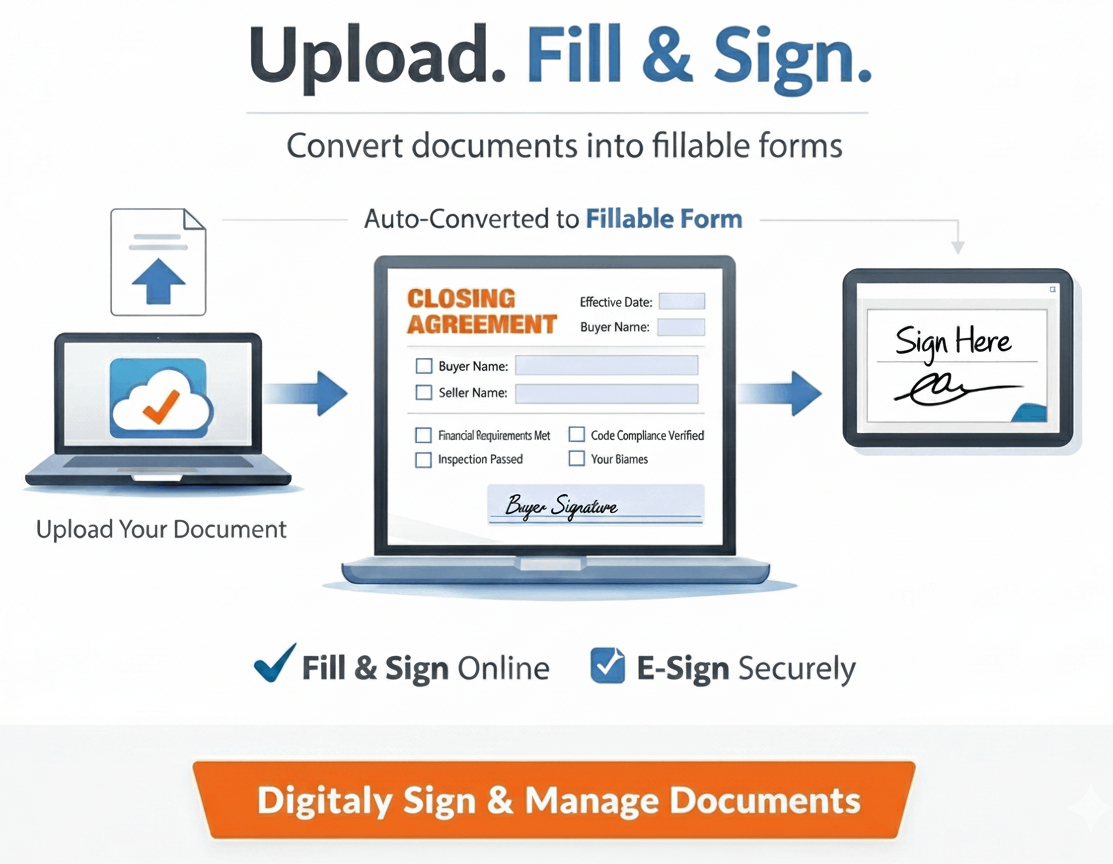
Upload your existing PDF or Word template.
Formfy converts it.
Have a form you’ve been using for years? Upload it. Formfy rebuilds it as a digital workflow — same content, same structure, no manual re-entry.
How much time does your clinic spend on intake paperwork?
Estimate what manual intake collection costs in staff time per week.
Questions about using Formfy templates
A comprehensive clinic intake form should collect: patient demographic information (name, date of birth, contact details), current medications and dosages, known allergies and adverse reactions, relevant medical history, insurance information if applicable, the reason for the visit, emergency contact information, and the patient's signature on any consent or authorization sections. Formfy's clinic intake form templates include all standard sections and can be customized for specific practice types.
Yes. Formfy allows you to send patient intake forms by SMS or email when an appointment is booked. The patient receives a link, completes their information, and submits the form before arriving. This means intake is already complete when they arrive, appointments start on time, and front desk staff can review the information in advance.
Formfy is a no-code digital form platform. Start with a clinic intake form template, edit the fields and questions using the visual form builder — no coding required — and publish the form. You can then share it via SMS, email, or a link. Most clinics have their intake form customized and live within 30 minutes of signing up.
Yes. Formfy intake forms support electronic signature collection. Patients can sign by drawing their signature, typing their name, or uploading a signature image — on any device. Signatures are compliant with the ESIGN Act and UETA, with a full audit trail on every signed document.
All submitted intake forms are stored in your Formfy dashboard. They are organized by submission date and searchable by patient name. You can view individual submissions, download records, and access the complete audit trail for each form at any time. Formfy does not delete submissions automatically.
Yes. Formfy offers full access to all patient intake form templates during a 15-day free trial with no credit card required. You can customize the template for your practice specialty, send it to patients by SMS, and start collecting digital intake information — all within the free trial at formfy.ai.
Yes. Formfy intake forms can combine multiple form types in one workflow — patient demographic information, detailed medical history, medication lists, allergy disclosures, consent agreements, and signature capture — all in a single digital form that the patient completes once.
Digital intake forms sent before the appointment eliminate several inefficiencies: patients complete forms at their own pace rather than rushing in a waiting room, information is legible and consistently formatted, data can be reviewed before the appointment begins, appointments start on time, and staff do not need to manually transcribe handwritten information. Formfy supports SMS delivery, which most patients respond to within minutes.
Send intake forms before the appointment. Start on time, every time.
Start with the clinic intake template, customize it for your practice, and send it by SMS when patients book. Complete intake data waiting before they arrive.
Your team doesn’t have to figure this out alone.
Real humans, real help, fast setup.
Chat With Our Team
Talk to a real person who can help you set up your first forms and digitize existing documents.
Free Form Digitizing
Send us your PDF or paper form. We rebuild it as a digital workflow — at no extra cost.
Live in Minutes
Most users publish their first form in under 10 minutes. No training, no implementation projects.